

System
System is for admins only. It is in the rail after Hub, and has three tabs: Users, Hosts and API keys. Everything AI (the Assistant, models for pipelines, model providers and plugins) is in Hub.
The admin account itself is set on the server when helmstudio is installed. Its row is locked: its roles, password and state can only change there. See Install and run.
Every account, with its roles, state and last sign-in.
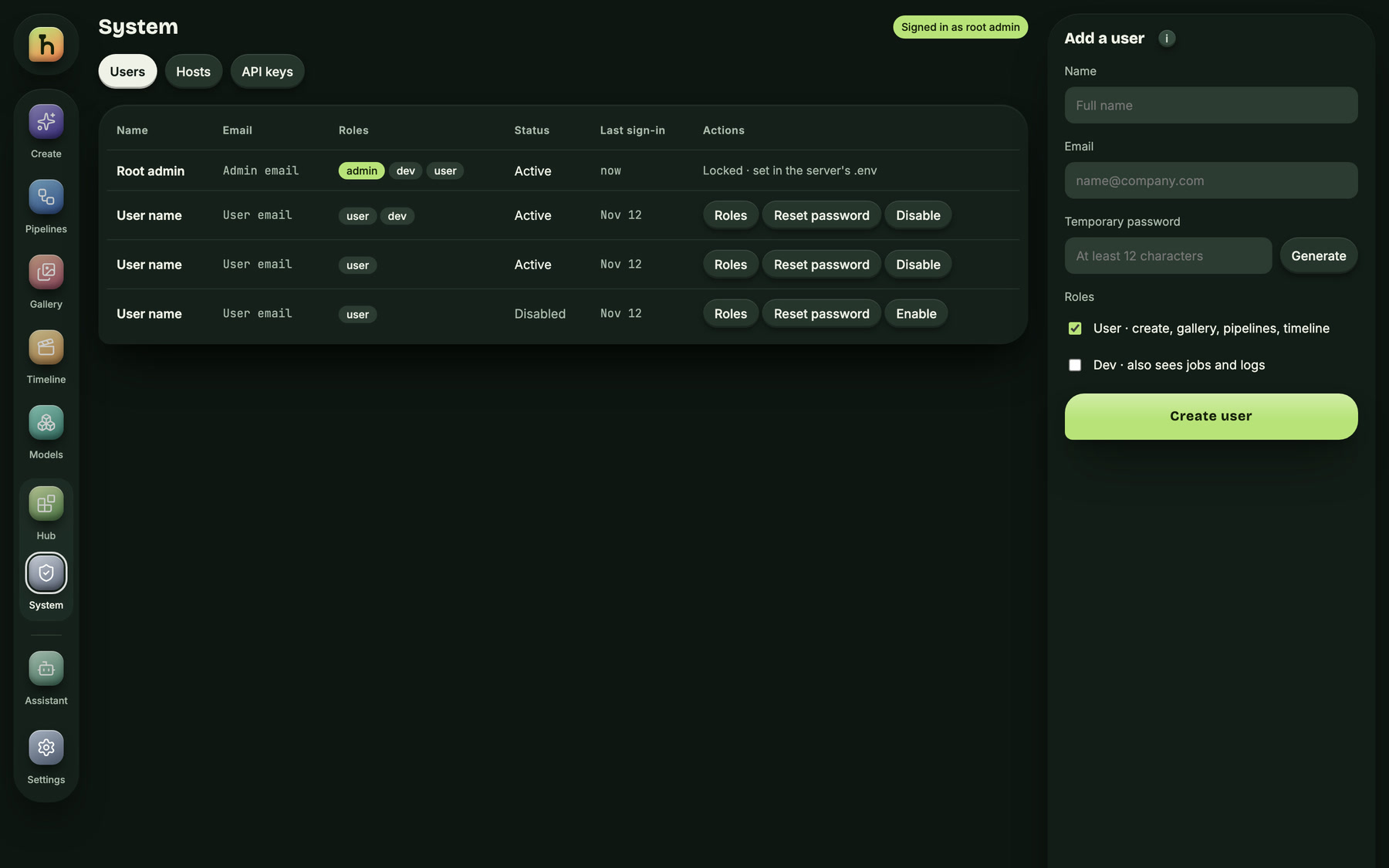
- Add a user: enter the Name, Email and a temporary password (at least 10 characters, or press Generate). Pick the roles and press Create user. Share the email and password with the person; they can change the password in Settings. There is no public sign-up.
- Roles: User (Create, Gallery, Pipelines, Timeline) and Dev (also sees jobs and logs). The admin role belongs to the admin account alone and cannot be given here.
- Reset password sets a new password for the account.
- Disable stops an account from signing in; Enable lets it back.
Each person sees only their own takes, sessions, pipelines and sequences.
One card per machine with runners. Each card shows its runtimes (Envs), its memory budget and what fills it, the Current run, and its Resident components: the model parts loaded in memory.
- Pin keeps a component loaded between runs. Unload frees it now.
- Unload all frees every component on the host, pinned ones included. A running run finishes first; pins stay set.
Select a host to change its Host settings. They apply to every runtime on it, at once:
- After the queue drains: Unload everything, Keep warm, or Keep pinned only. Only Unload everything is sure to give the memory back.
- Idle timeout, minutes (0 = never).
- Memory budget: Automatic or Custom. Automatic uses the Mac’s GPU memory limit when one is set, else its memory minus a default reserve (on an NVIDIA host, the GPU’s memory minus the default reserve). Custom shows Memory reserve, GB: the budget is the machine’s memory (the GPU’s on an NVIDIA host) minus the reserve you set. Both are also checked against live memory pressure.
- Evict all empties the host now.
To add a machine, see Hosts.
API keys
Section titled “API keys”Application keys let services and the helm command line talk to helmstudio. The tab lists Active keys with
their prefix, dates and last use, and Revoked ones.
- New key: keys are made on the server, not in the browser. Copy the command shown (Copy command) and run it where the auth service runs. The full key is printed once.
- Revoke a key: every request with it is refused from then on.
See helm CLI for using a key.