Alphahelmstudio is early software: things will change, and some will break.What's newReport an issue

Tour

A look inside the studio.

Every screen, room by room. Start with the Assistant, then follow a take from Create to the Gallery, the Timeline and a pipeline.

The Assistant

Tell it the shot. Watch it set up.

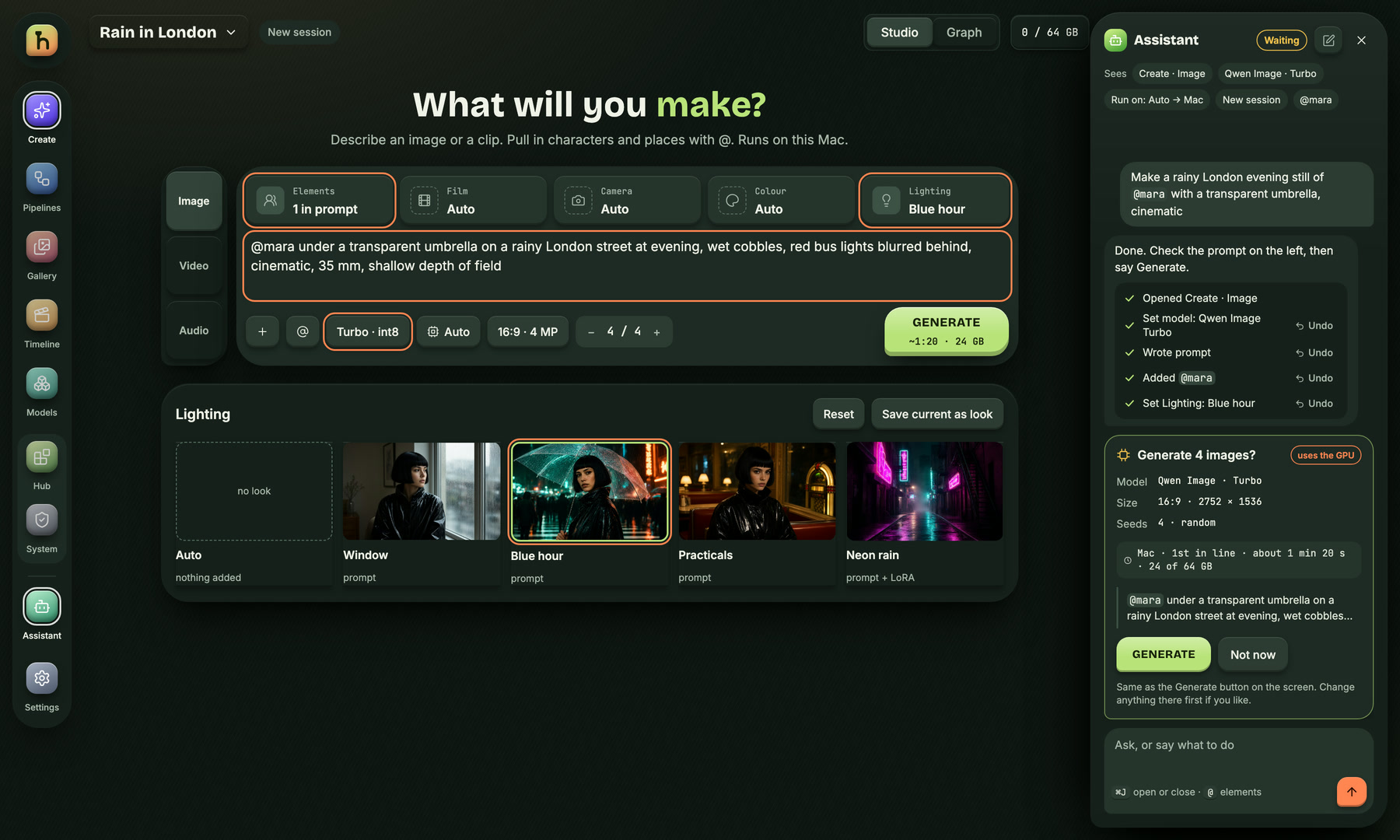
The Assistant lives in a drawer on every screen. It sees what you see, works the same controls you do, and stops to ask before anything that uses the GPU, downloads weights or deletes work.

Create with the Assistant drawer: the elements, prompt, model and lighting it changed are ringed, and a card asks before generating 4 images
Create · ringed controls are the ones it just changed
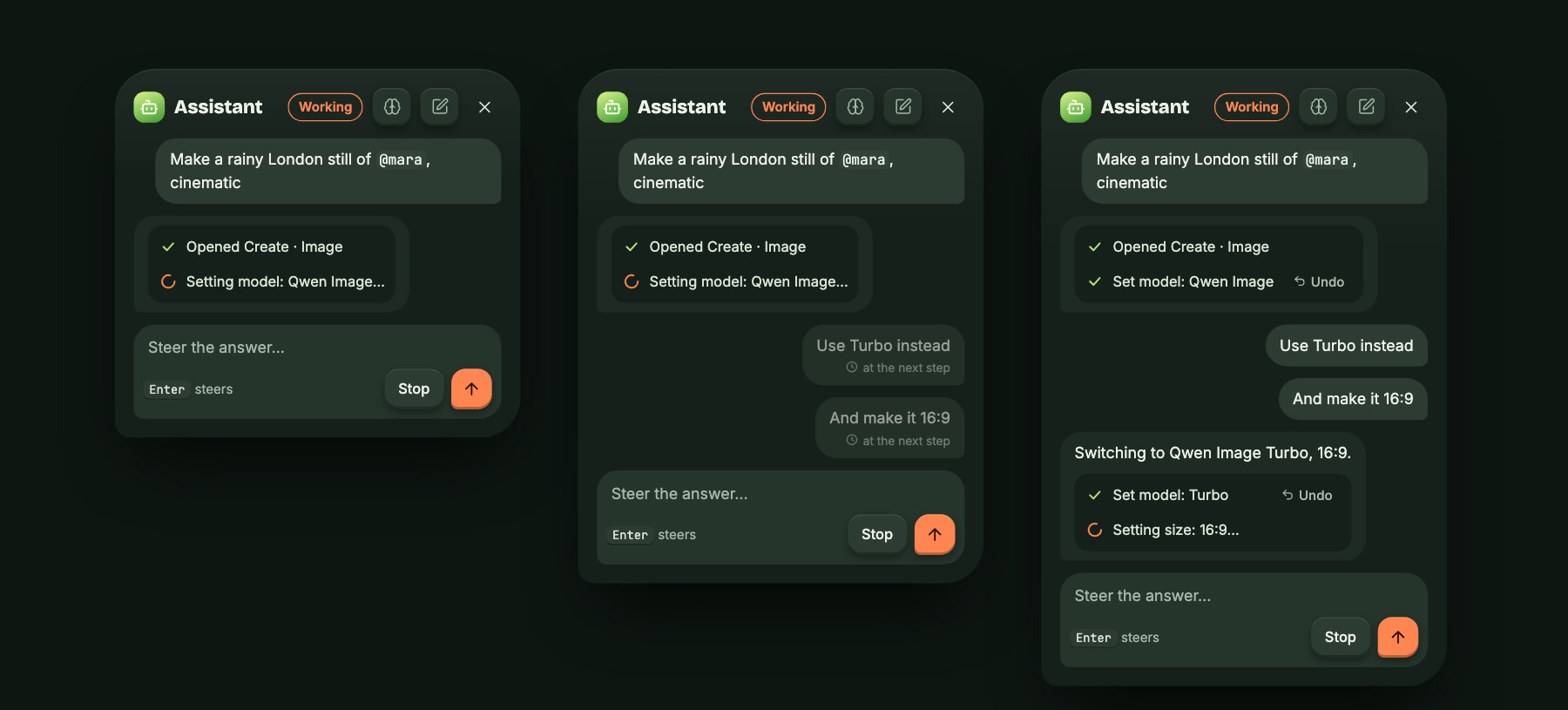
Steering: the box stays open while it works; messages wait for the next step; then it switches to Qwen Image Turbo at 16:9
Steer while it answers · your words are read at the next step
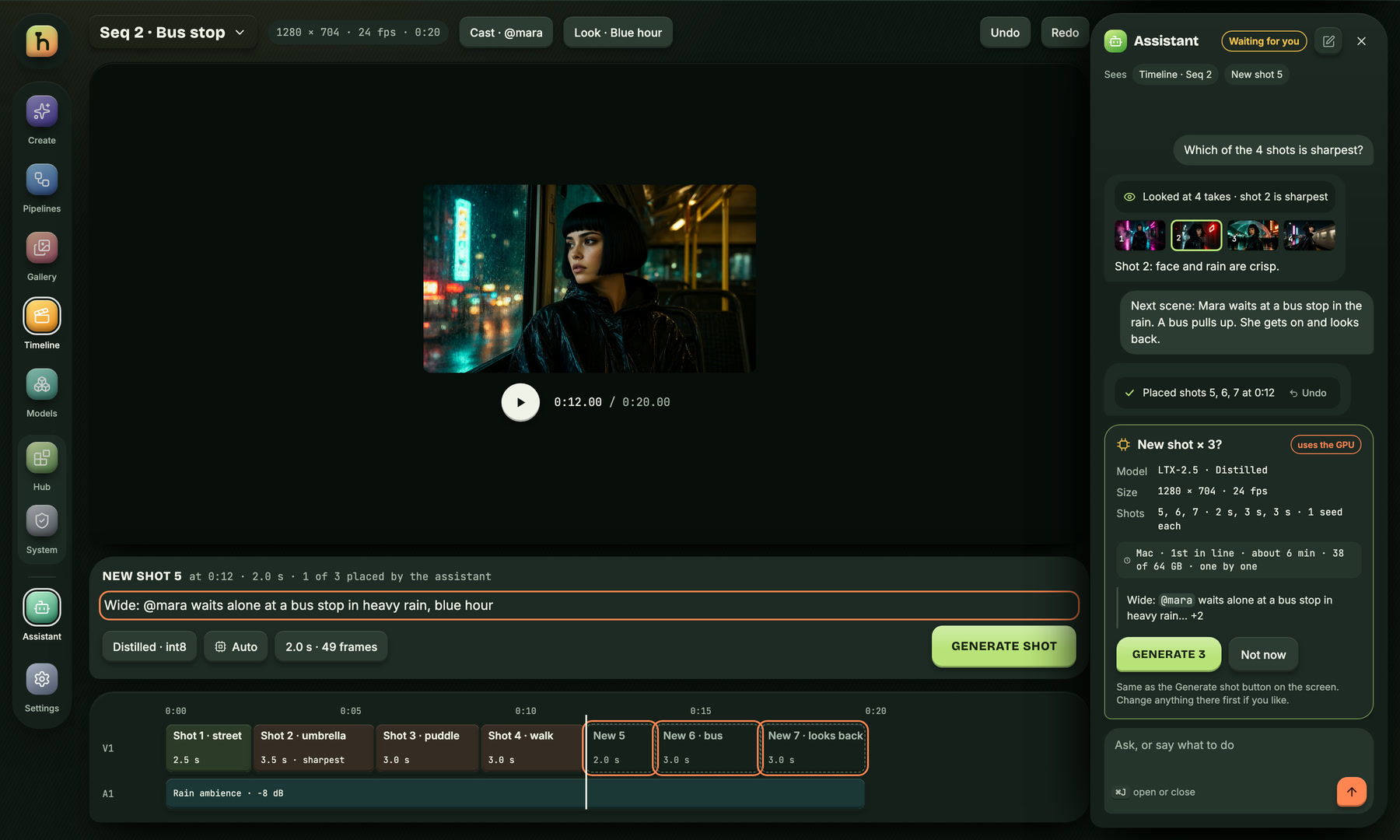
Timeline with the Assistant: it looked at four takes, named the sharpest, then placed three new shots from a written scene
Timeline · from a written scene to new shots, each placed with Undo

On your phone too.

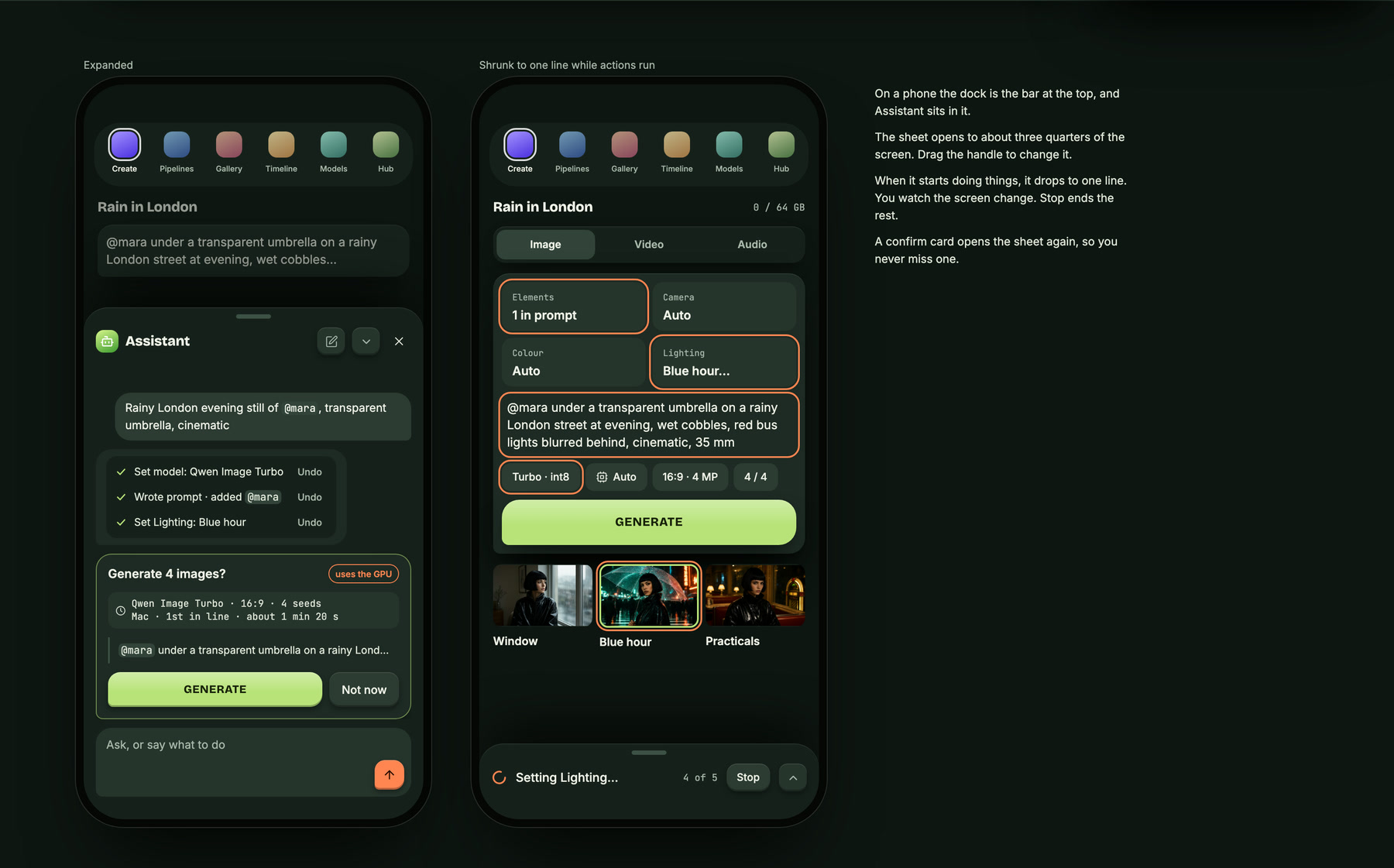
At phone width the dock becomes a bar and the Assistant slides up from the bottom. Ask for a still, press Generate, and find it in the Gallery later.

  • Knows every model's settings and limits
  • Remembers what you like, and lets you edit what it remembers
  • Runs on a local model or a provider your admin sets
Read the Assistant guide →
The Assistant at phone width: the dock as a bar, the Assistant sheet over Create, asking before generating

Create

One screen for every image, clip and voice.

Pick a model, write a prompt, make takes. Switch between image, video and audio without losing your prompt.

  • Presets from Draft to Final, with time and peak memory before you run
  • Call characters and places by name with @
  • A live preview while it samples
Read the Create guide →
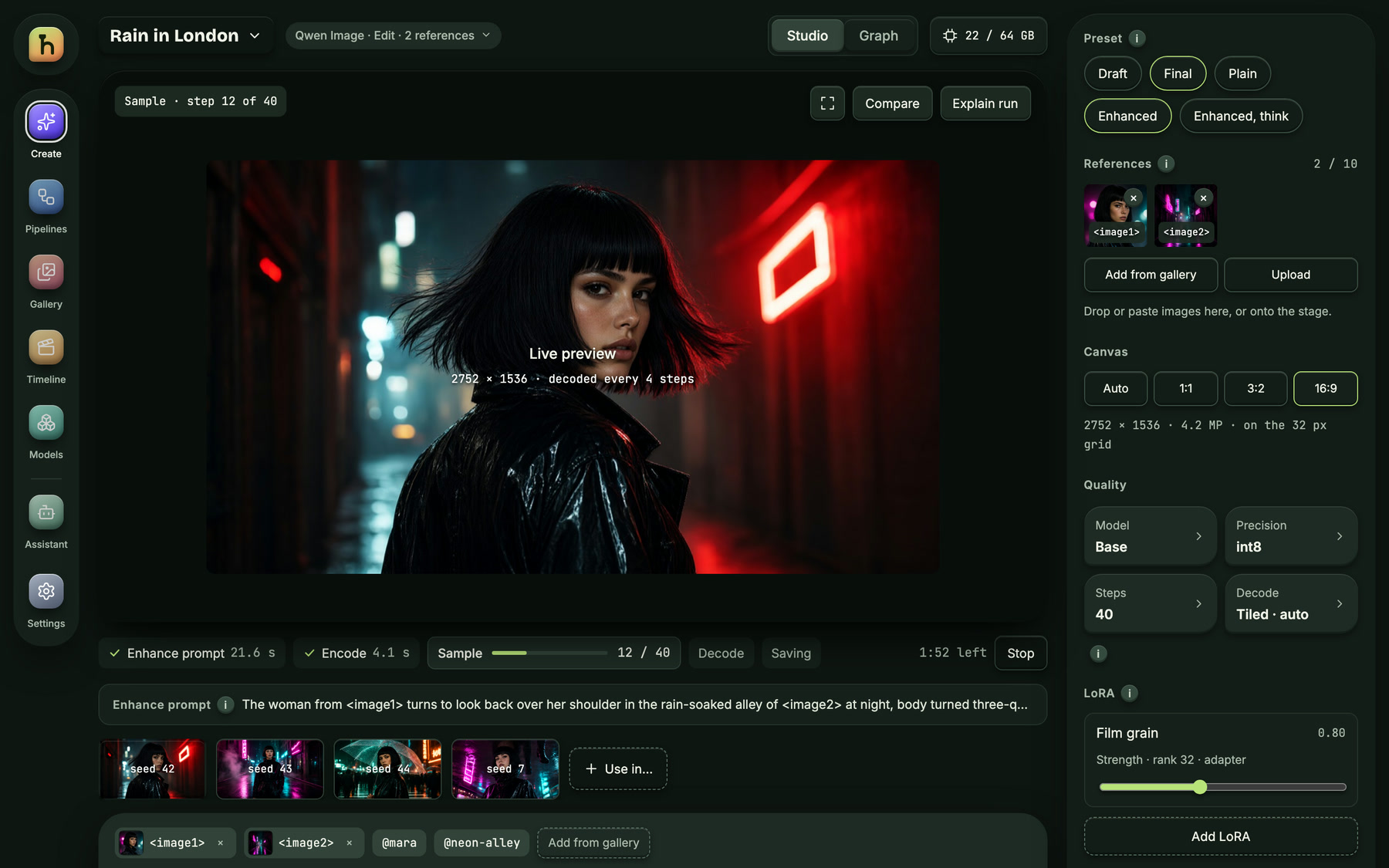
Create with Qwen Image: live preview at step 12 of 40, presets, two references, canvas, quality and a LoRA

Video

Clips with sound, from a line of text.

LTX-2.5 and MiniMax H3 make video with matching sound. Animate a still, extend a clip, or retake a few seconds of it.

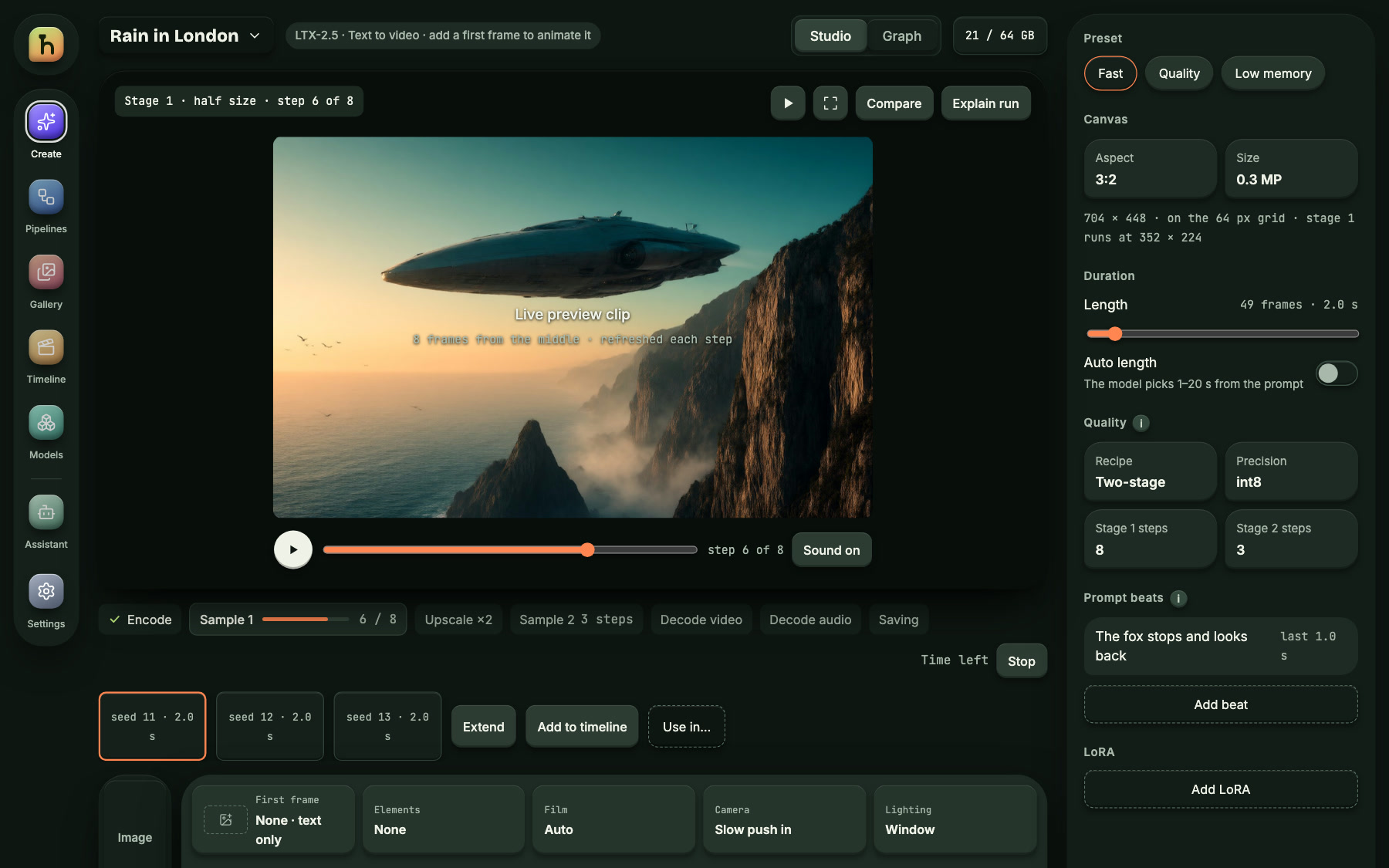
  • Fast, Quality and Low memory presets
  • Length from the prompt, or set by hand
  • Pin images at chosen times as keyframes
Read about LTX-2.5 →
Create with LTX-2.5 text to video: an airship over cliffs at sunset in the preview, with presets, canvas, length and quality settings

Graph

The same workflow, as nodes.

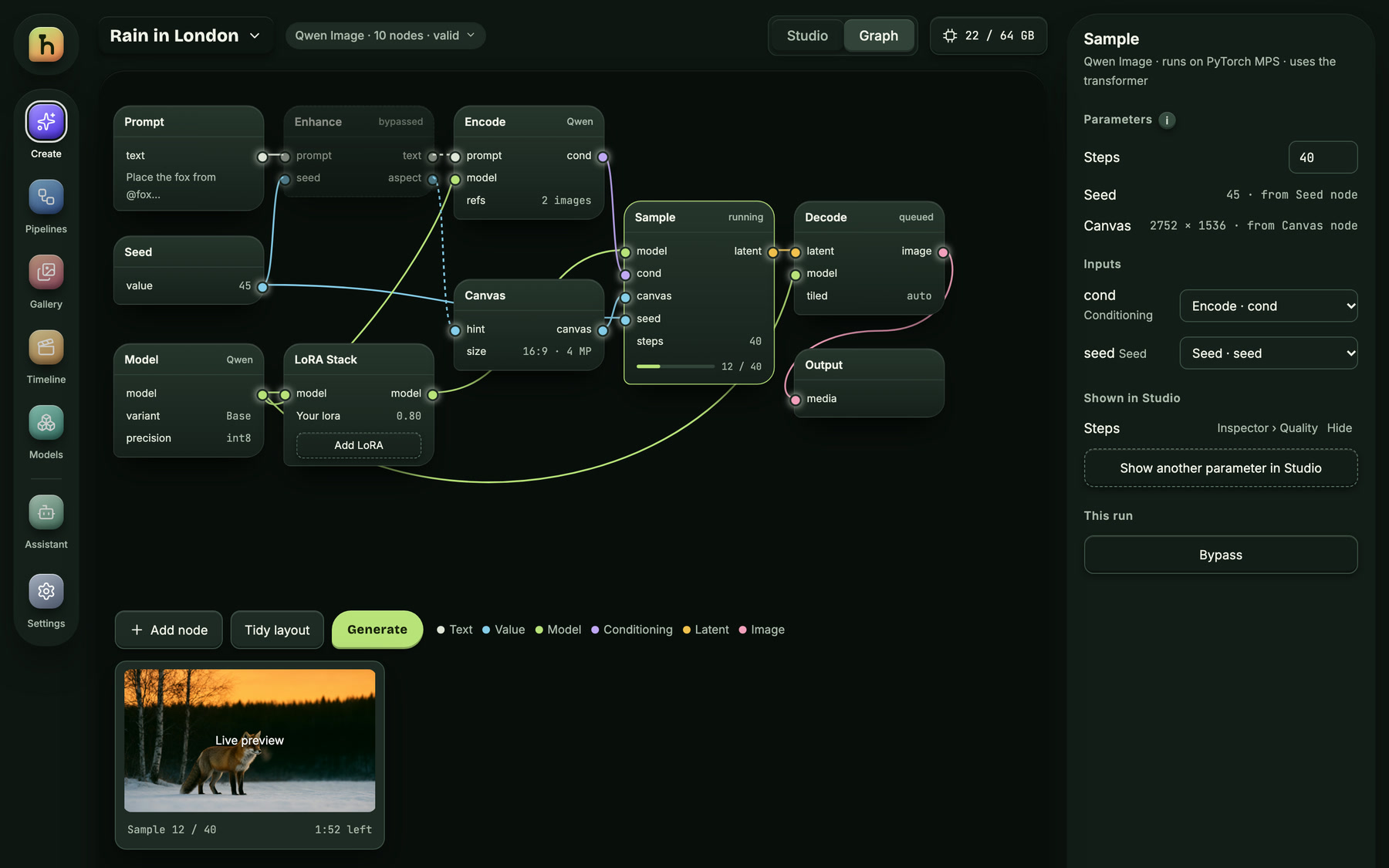
Every workflow is a small graph of typed steps. Flip from the form to the graph to see how a run is wired. Editing one edits the other.

How Studio and Graph views work →
Graph view of Qwen Image: prompt, encode, model, sample and decode nodes wired together, with the sample node's settings

Gallery

Every take remembers how it was made.

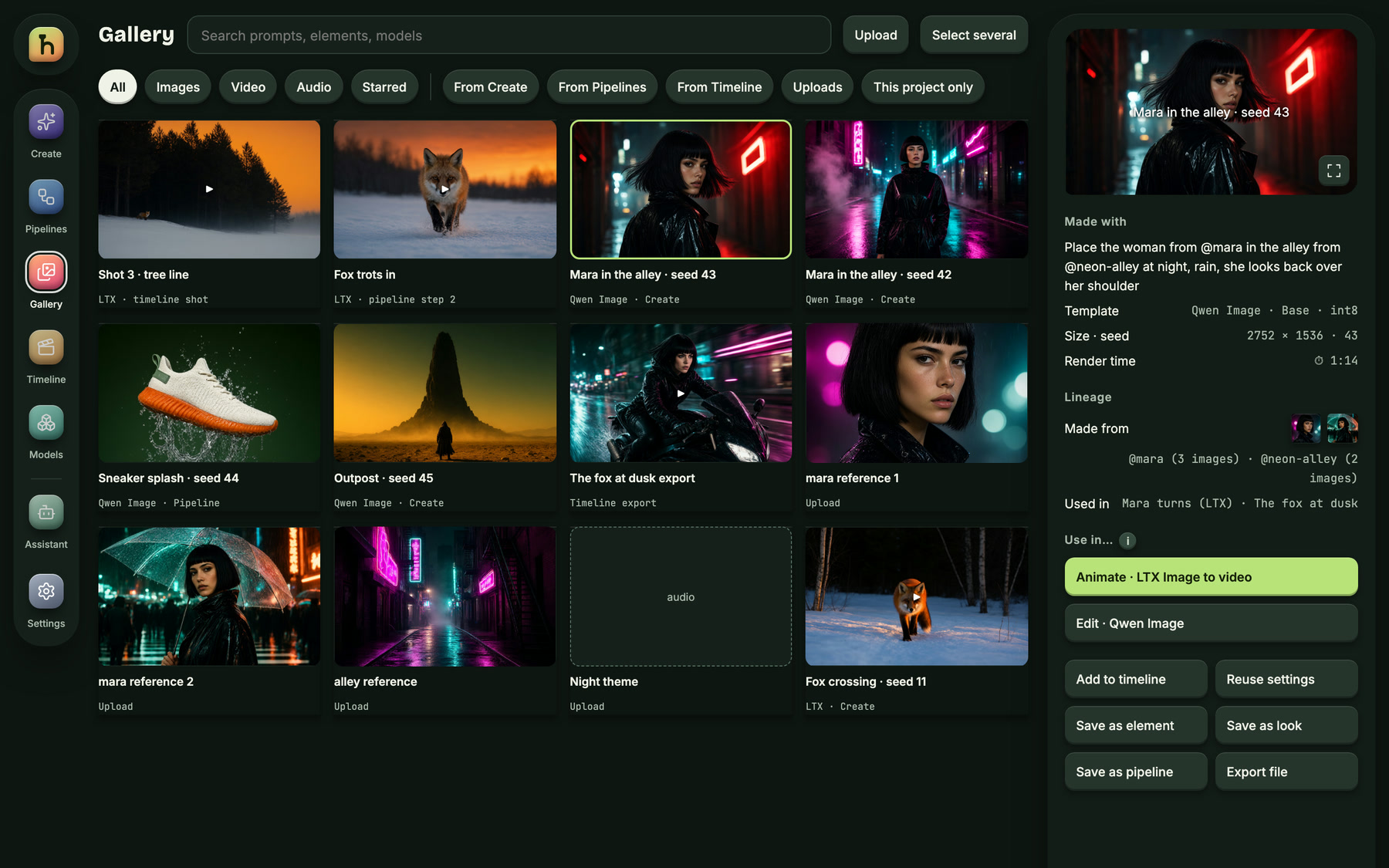
Prompt, model, seed, size and inputs travel with each take. Send any of them back to work in one click.

  • Lineage: what a take was made from and where it was used
  • Use in… Animate, Edit, Extend or Retake
  • Save as an element, a look or a pipeline
Read the Gallery guide →
Gallery grid of takes with filters, and the side panel showing how the selected take was made and its Use in actions

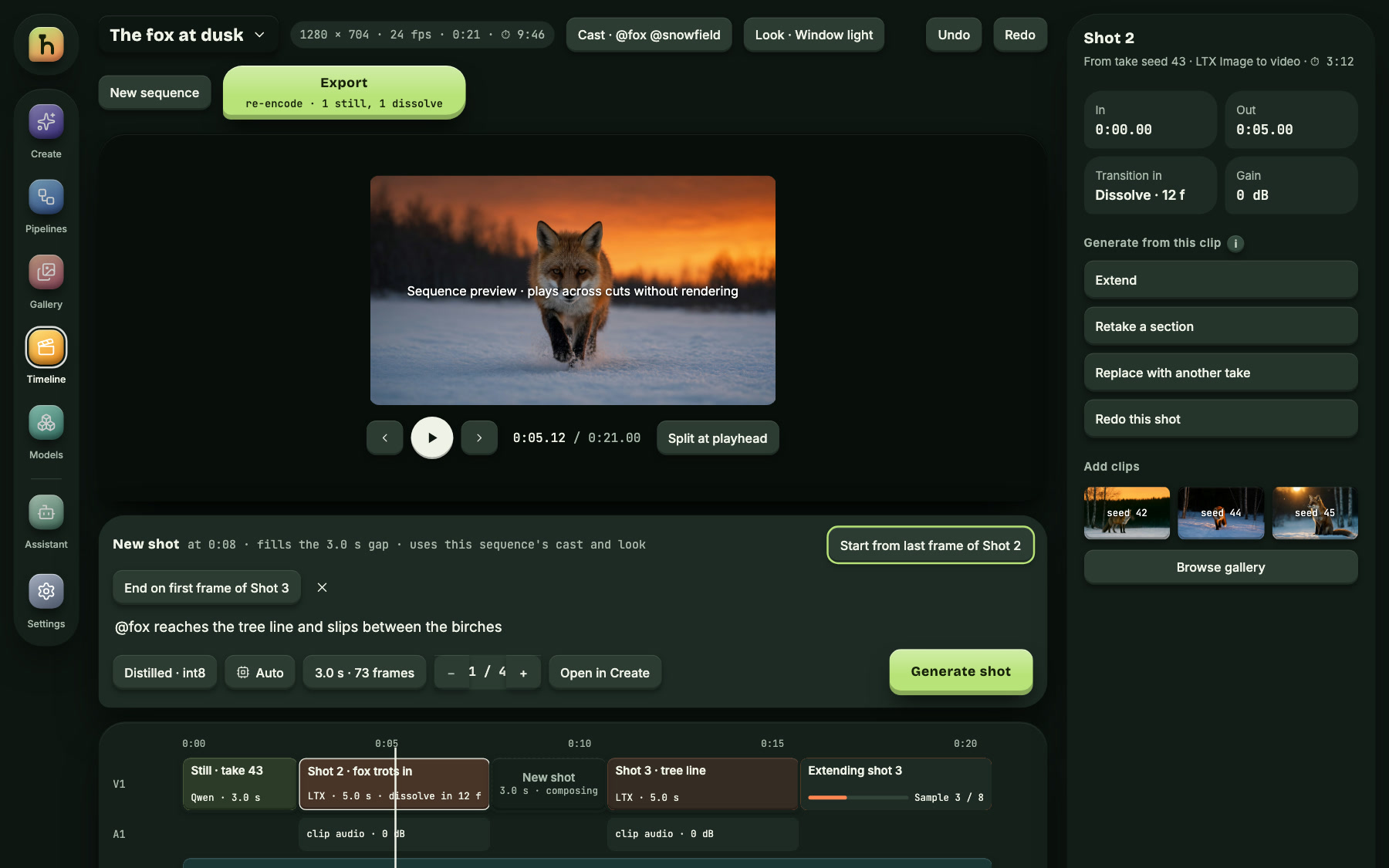
Timeline

Cut the film where you make it.

Direct new shots in the gaps, retake a section, add voice lines, and export one MP4.

  • A new shot can start from the last frame of the one before
  • The sequence's cast and look apply to every shot
  • Export copies streams when it can, re-encodes when it must
Read the Timeline guide →
Timeline with shots of a fox in the snow, a new shot being composed in a gap, and clip actions for Extend, Retake and Replace

Pipelines

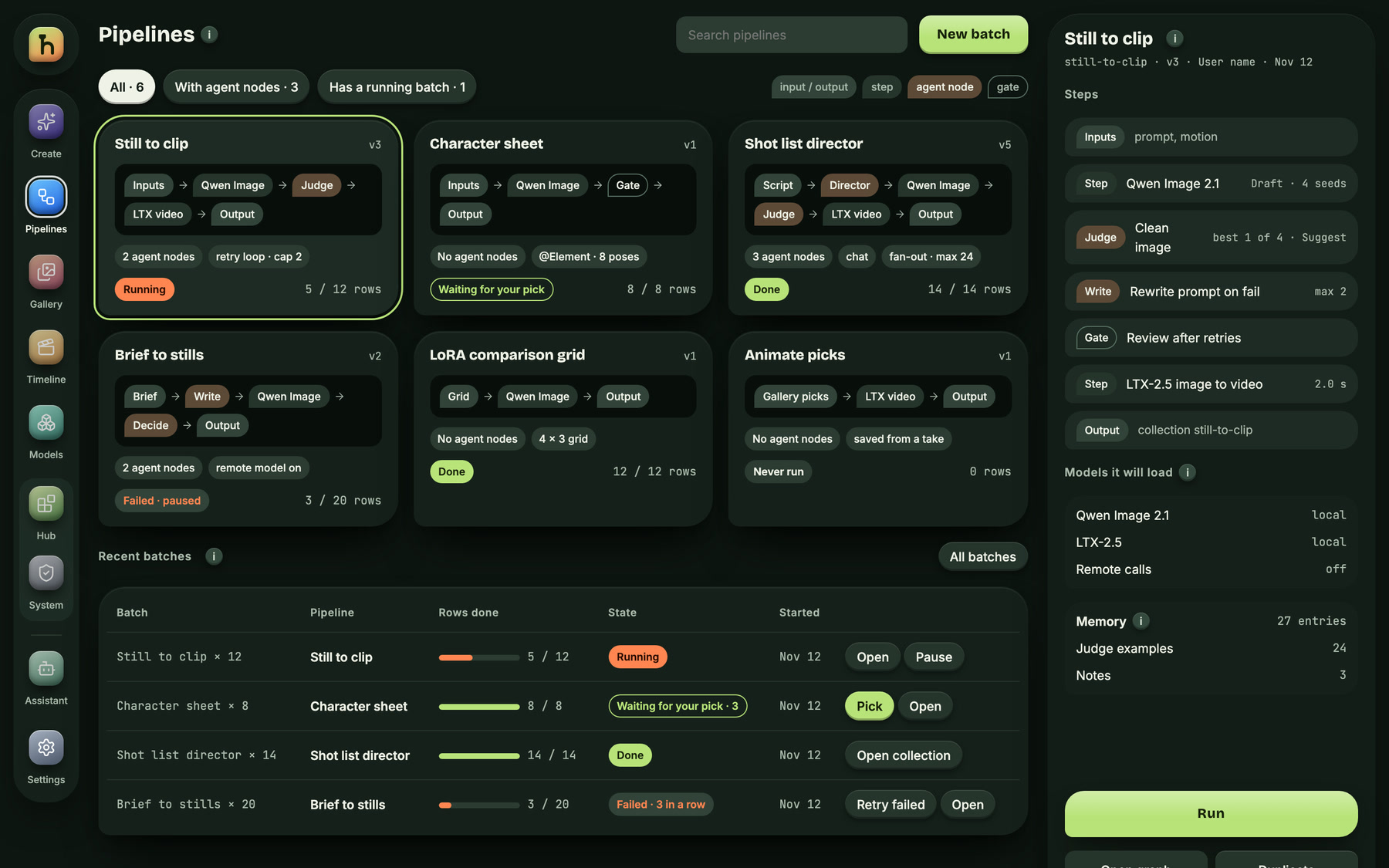
Batches that check their own work.

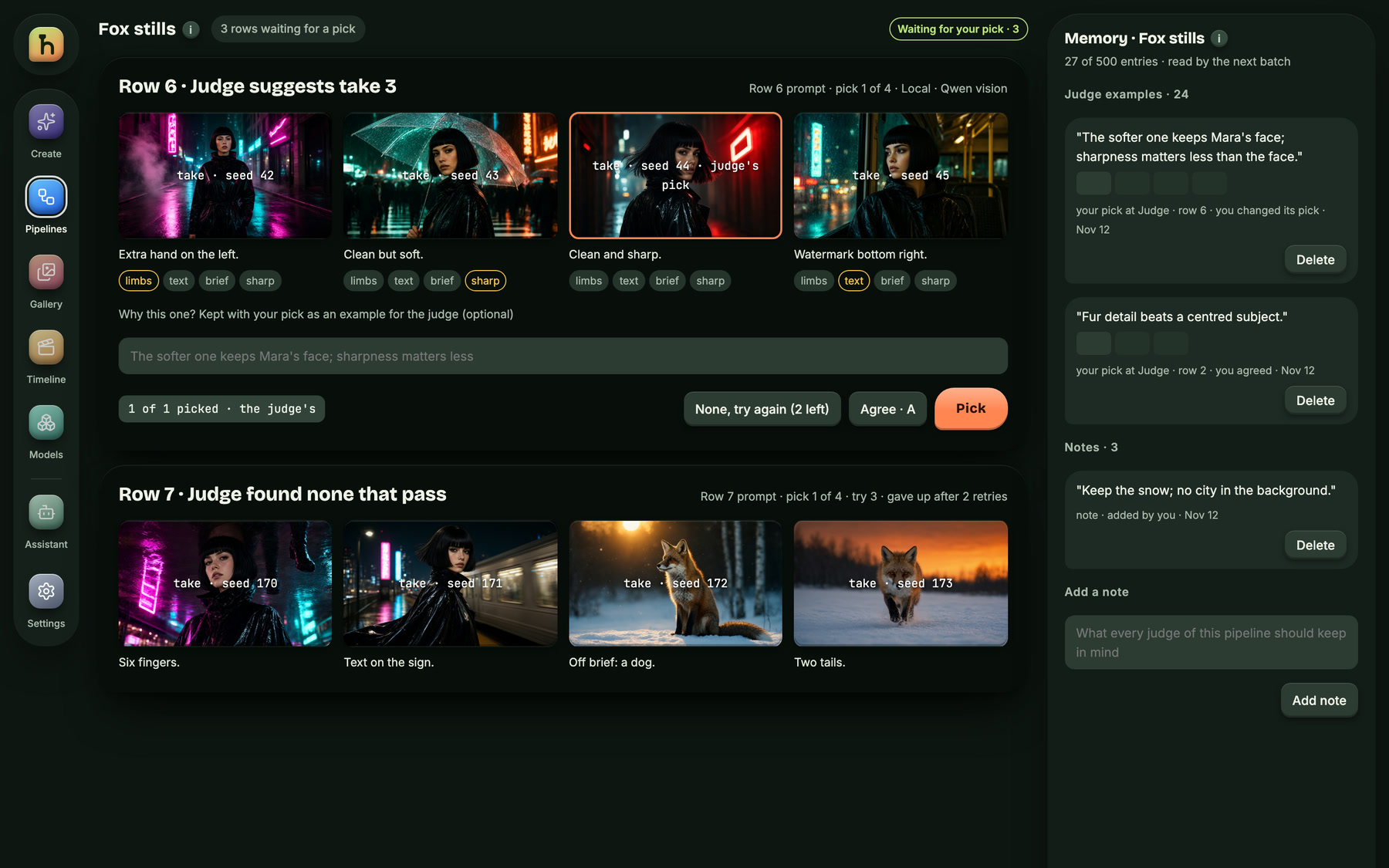
Chain workflows and run them over a list while you are away. A judge looks at each take against your checklist and keeps the best.

  • Review gates where you pick, or agree with the judge
  • It learns from the takes you keep and reject
  • Every retry is capped and logged
Read the Pipelines guide →
Judge review: the judge suggests take 3 as clean and sharp, with checklist chips and the pipeline's memory of past picks
Pipelines list: saved pipelines as small graphs, and recent batches with their progress
Pipelines · saved pipelines and recent batches
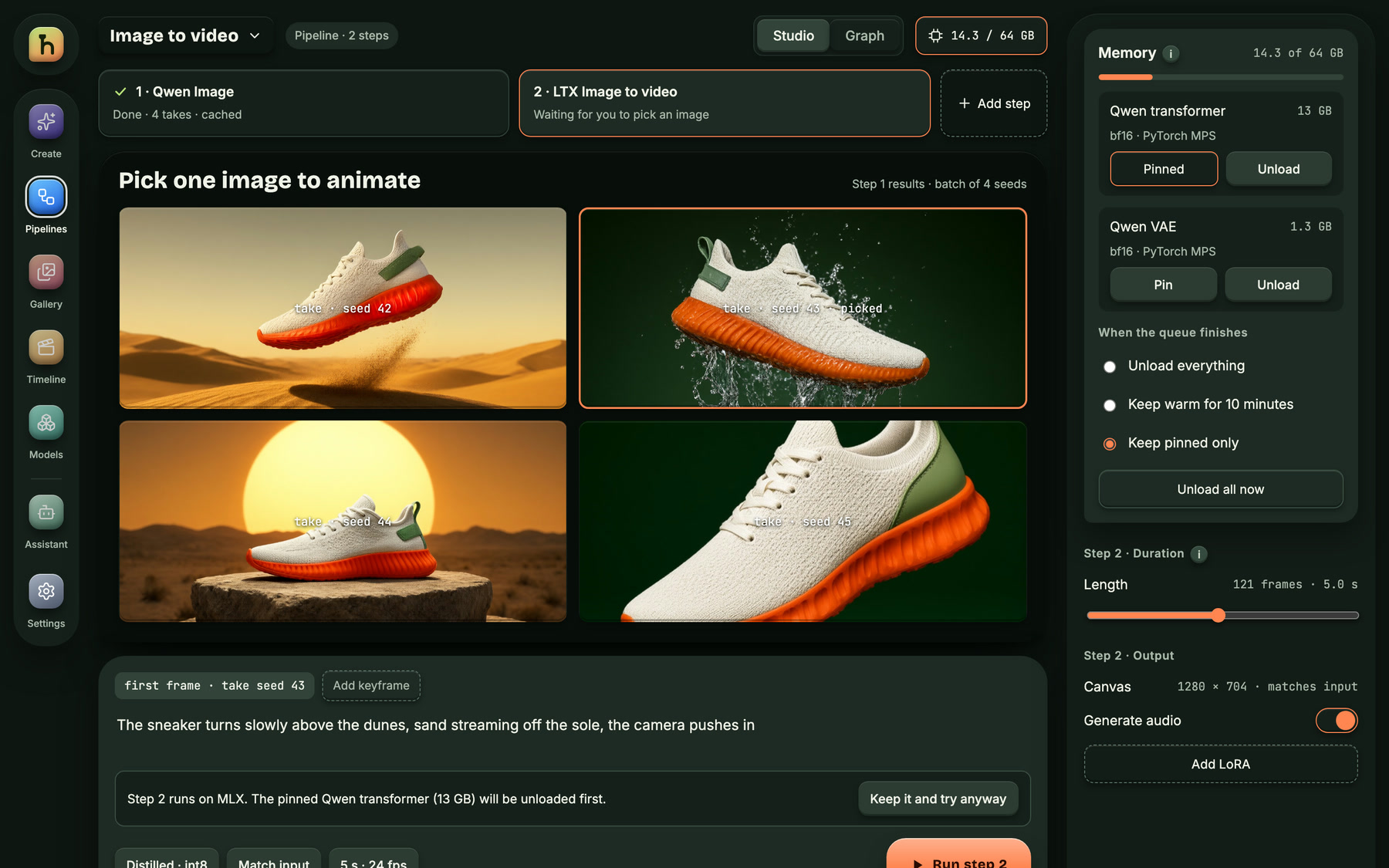
An image to video pipeline paused at a review step: pick one of four sneaker images to animate
A pipeline · pick one image to animate
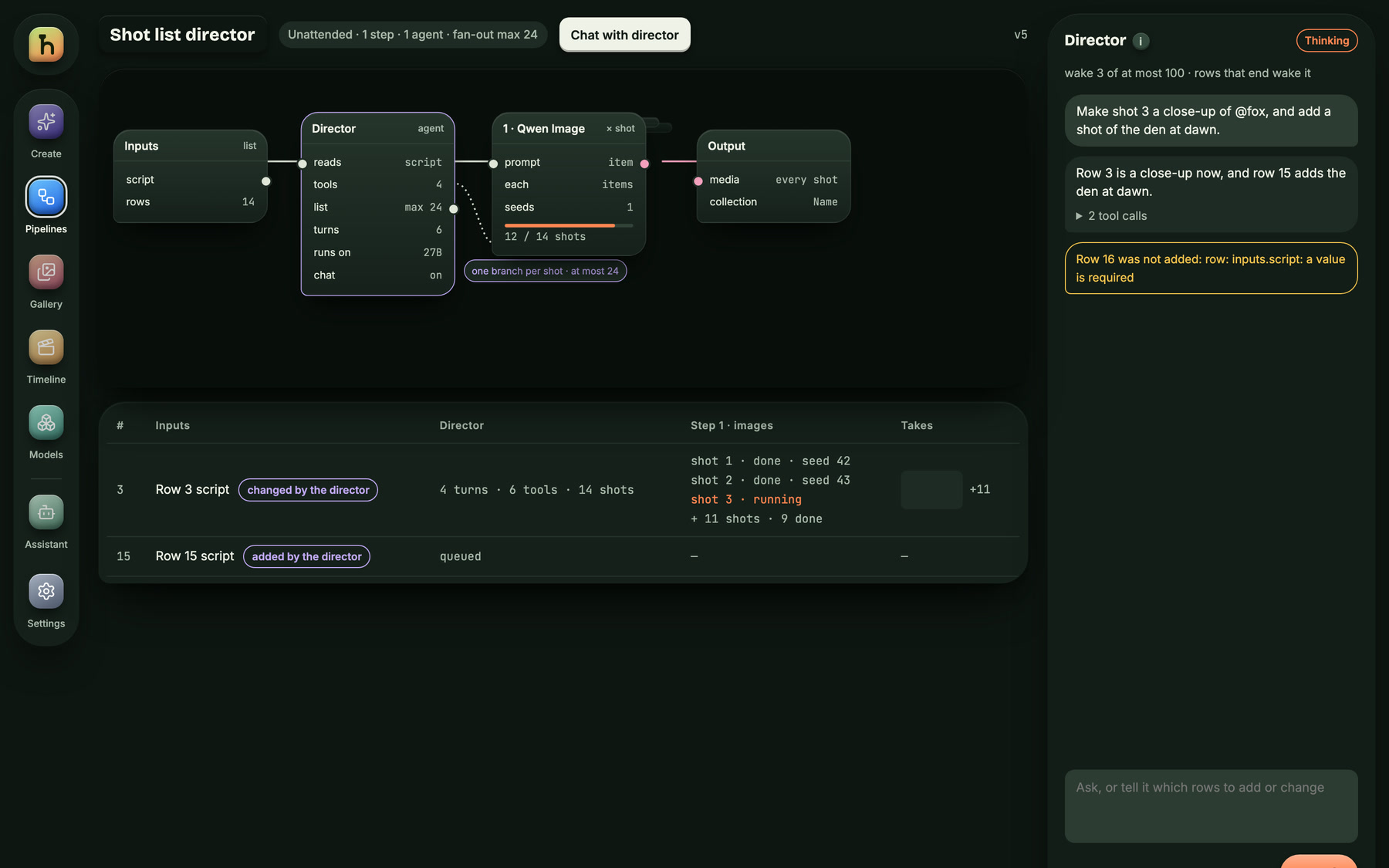
A shot list director pipeline with its chat: the director turns a script into shots
Director · a script fans out into shots
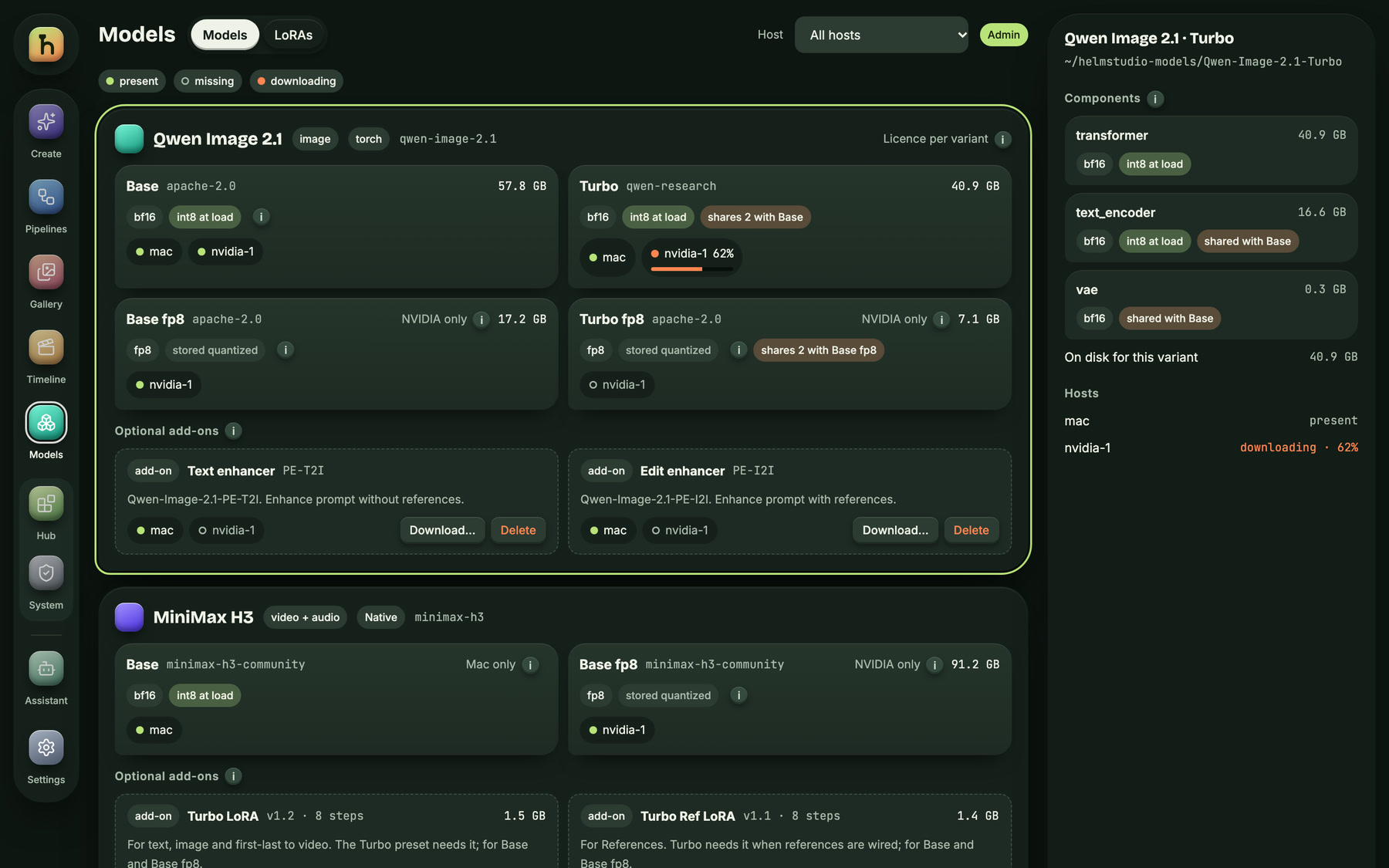
Models: Qwen Image 2.1 variants with sizes and hosts, optional add-ons, and the components panel
Models · variants, add-ons and which machine has them

Your machines

Runs where your GPUs are.

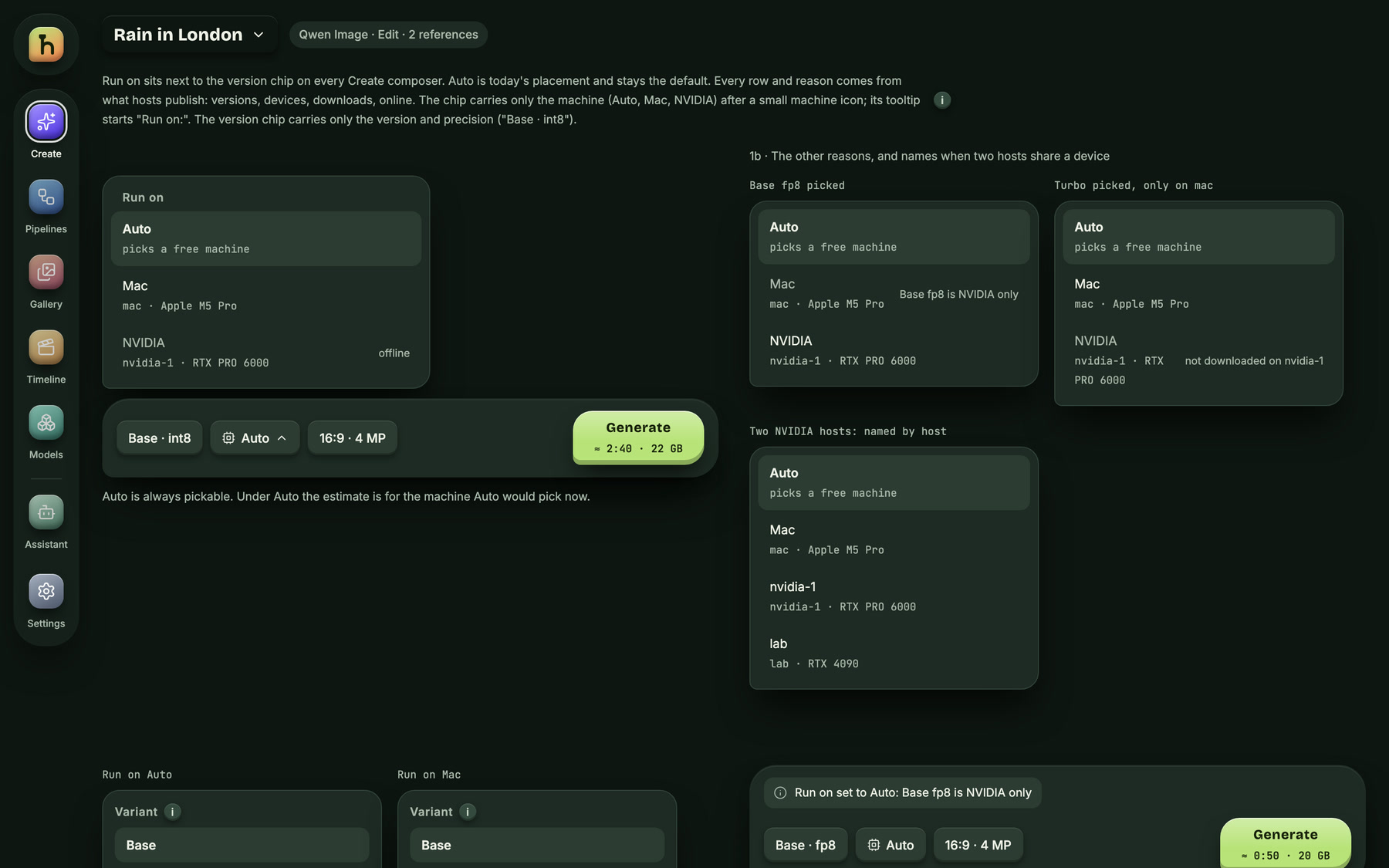
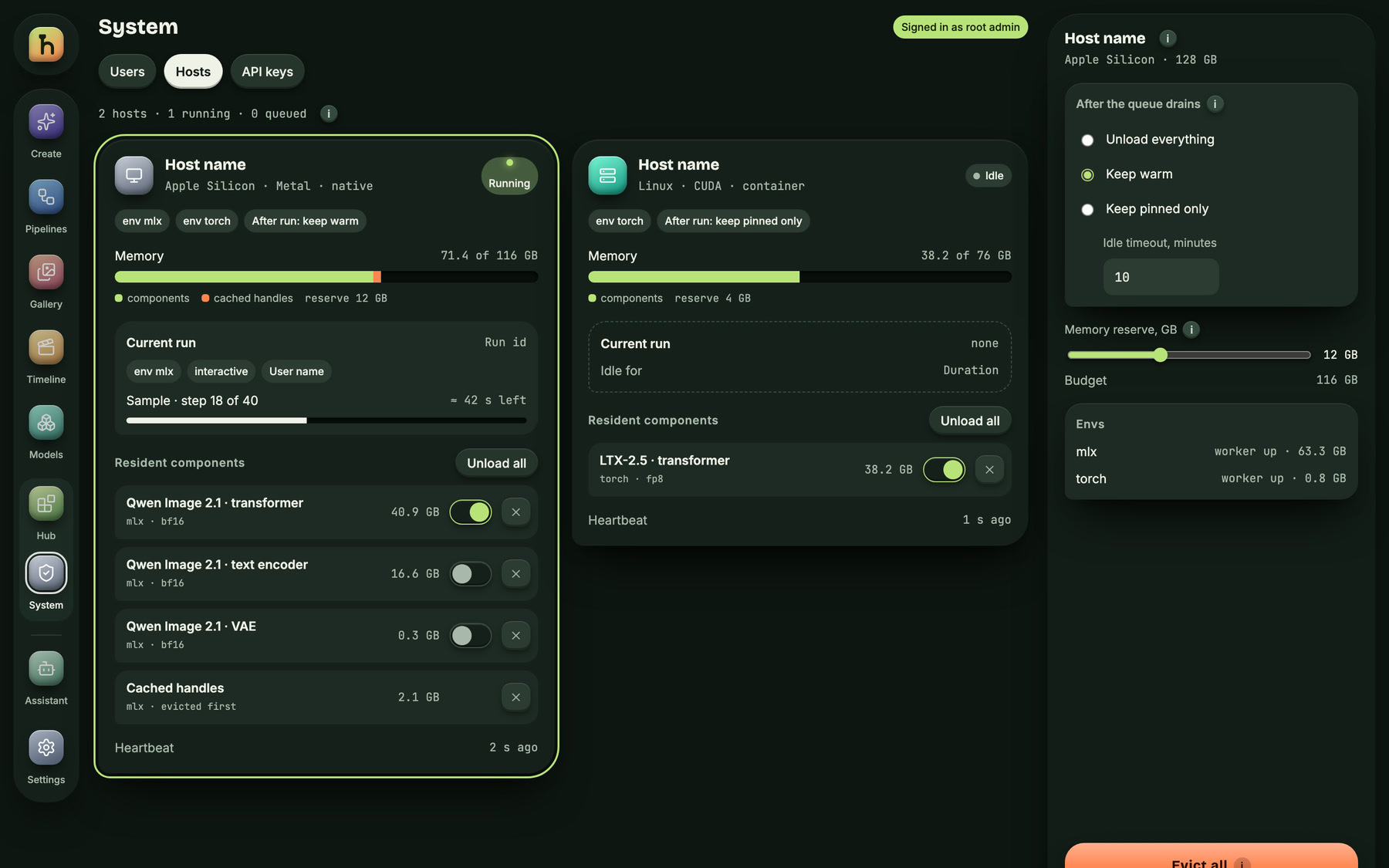
Pick Auto and each run goes to a machine with the weights and the memory, or pick one by name. Admins see every host, its runners and what is loaded.

Run on menu: Auto or a named host, with hosts that cannot take the run greyed out with the reason
Run on · Auto or a named host, with the reason a host can't take it
System Hosts: each host's memory, current run, resident model components and pins
System › Hosts · memory, loaded parts and pins

Your studio is one download away.