Alphahelmstudio is early software: things will change, and some will break.What's newReport an issue

Magic, with the Assistant

Tell it the film.
Watch the board fill.

Magic lays out a short film in time: assets, a storyboard, shots, voices, music and sound on one ruler. The Assistant drives it. It reads the board, listens to the music, finds what needs fixing, draws each edit for you to apply, and runs the models when you say yes.

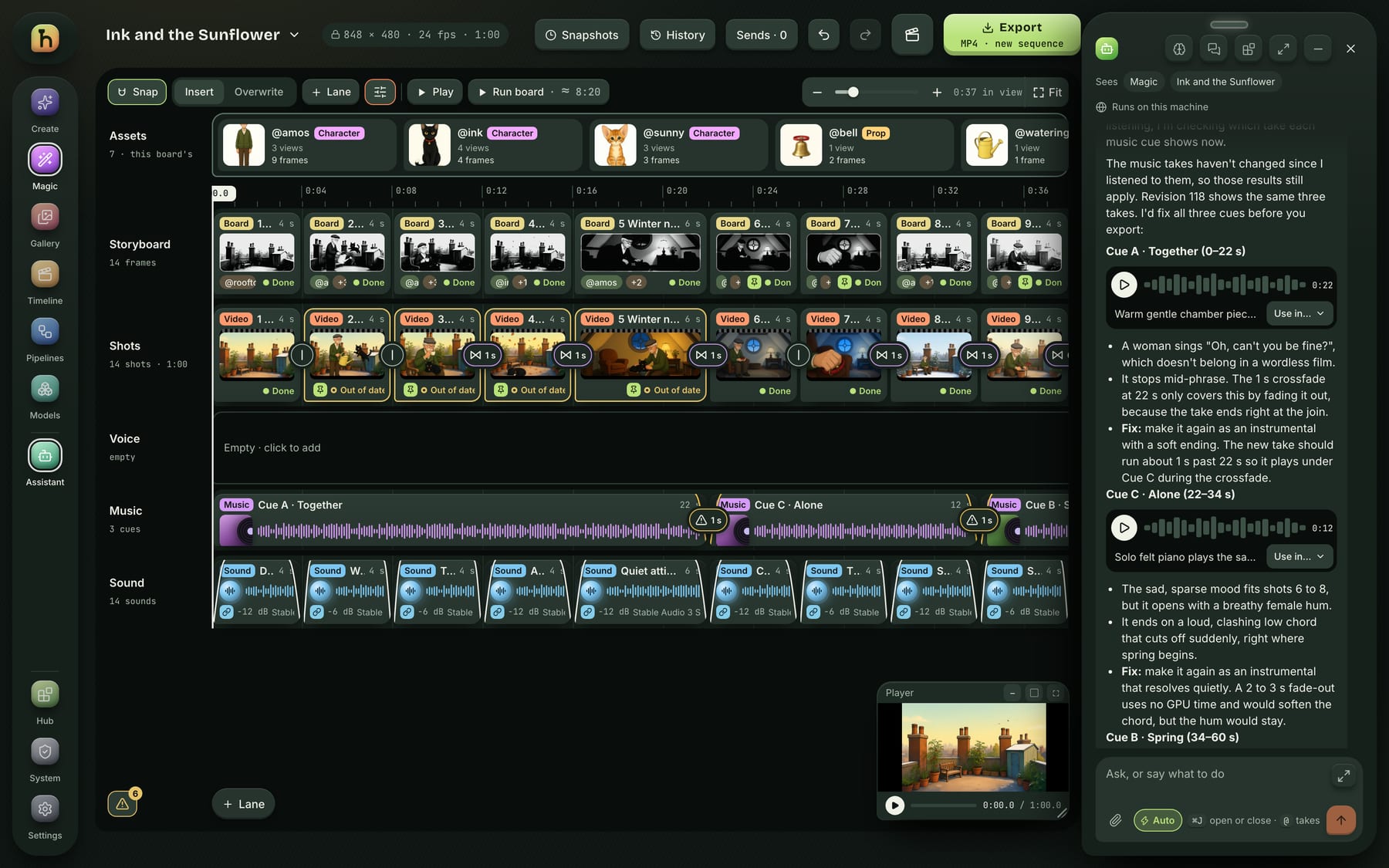
A Magic board, Ink and the Sunflower, with the Assistant beside it. Asked to listen to the music, it reports per cue: Cue A has a woman singing in a wordless film and stops mid-phrase; Cue C opens with a hum and ends on a harsh chord; each with a fix
A real board · asked to listen to the music, the Assistant heard singing in a wordless film and a cue that ends on a harsh chord, and gives a fix for each

The Assistant drives it

A director that plans, builds and checks.

Give it a brief in a sentence. It works as a director with its built-in Magic director skill, and it never spends GPU time on a plan you have not seen.

  1. It plansThe style, the cast, the places and the beats with their lengths, and the board's size and frame rate. It waits for your OK.
  2. It buildsThe board, the assets and their views, a voice for each speaking character, frames, shots from the frames you like, then sound.
  3. It checks, by eye and earEvery block's status, takes and errors; each video as 12 frames; each sound's exact length, loudness and ends. It listens to a take on a local model, then offers the next steps, the best one marked.
  4. It runs the modelsWithin your limit it just runs. Above it, a card shows the estimate first. Stop ends its runs at any time.
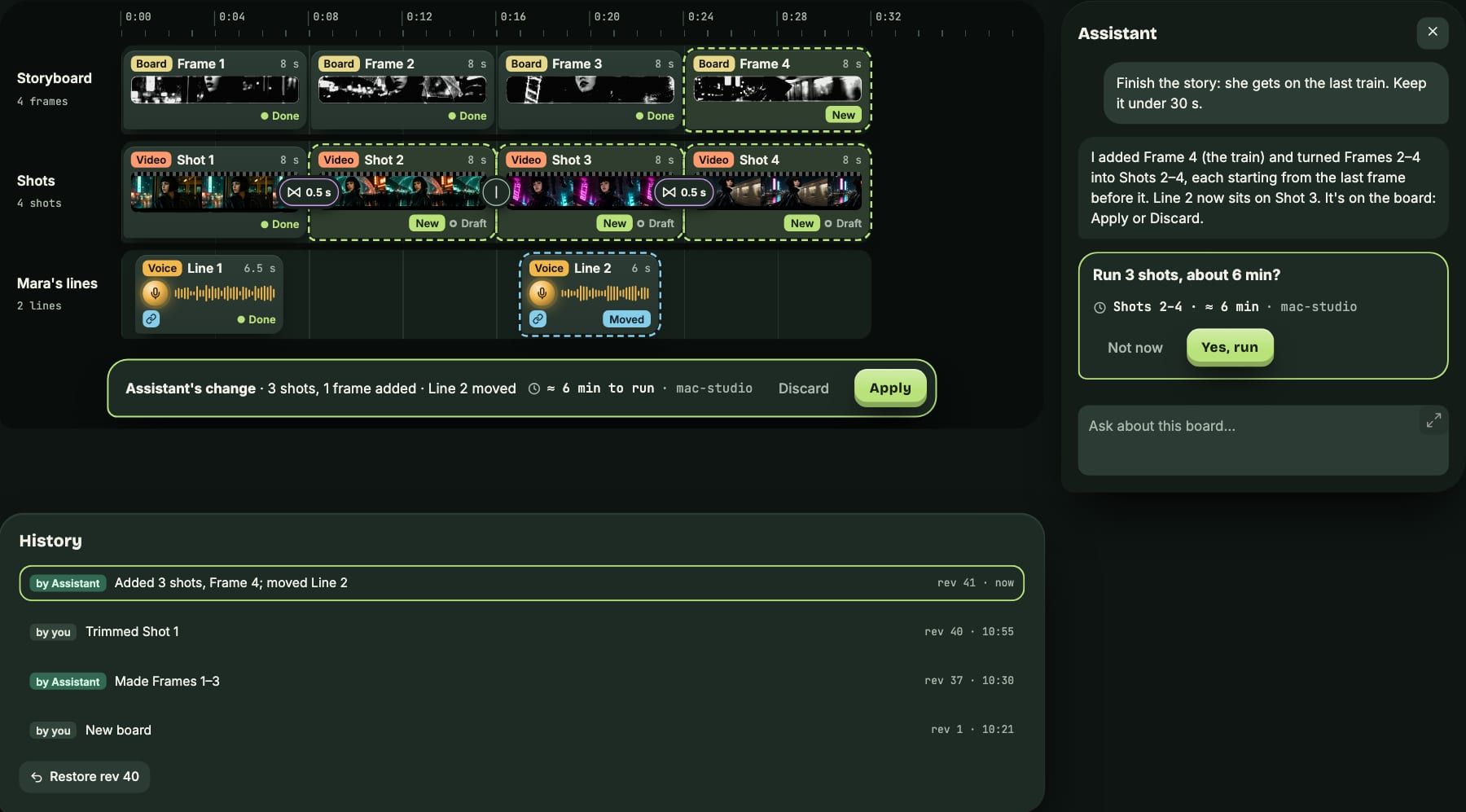
The Assistant on a Magic board: its change drawn with Apply and Discard, History by you and by Assistant, and a card asking to run 3 shots, about 6 min
It proposes, you apply · its change drawn on the board, History marks it by Assistant
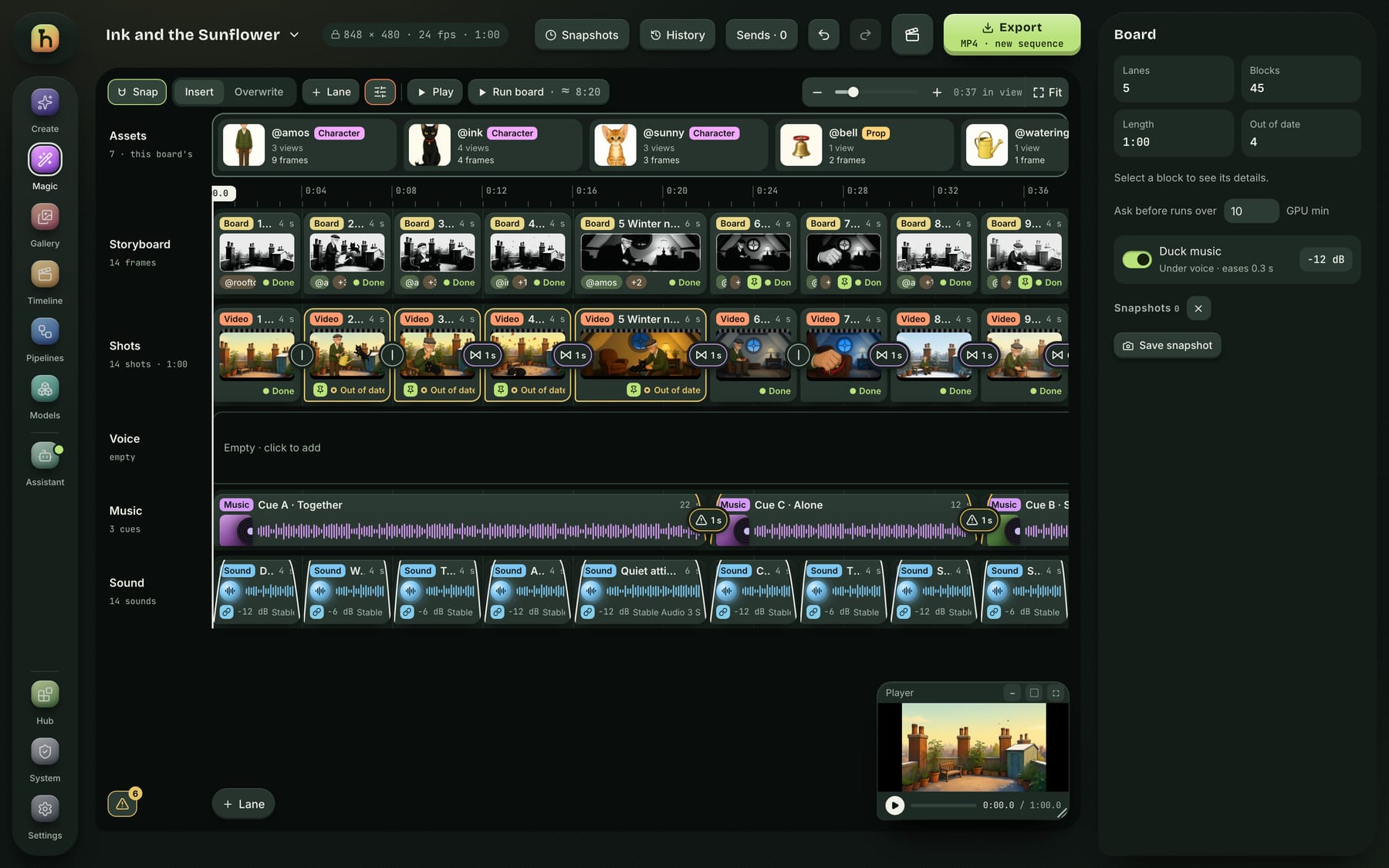
A Magic board: the Assets row, then Storyboard, Shots, Voice, Music and Sound lanes in time, each block with its preview and status, the side panel and the floating player
The board itself · assets, 14 frames, 14 shots, 3 music cues and 14 sounds, each in its place in time
Reads every blockFinds what needs fixingListens to the music and linesFades, crossfades and duckingDraws each edit for ApplyViews and voices for the castSets a block's levelAsks before costly runsPlays the boardSends to the Timeline when you say

Or by hand

Add, fill, run, export.

Everything the Assistant does, you can do yourself. A board is a plan you can play. Blocks show what is done, running, a draft or out of date, so you only run what changed.

  1. Add at a pointClick a lane at a time. Pick a shot, a still, a line, a dialogue, a cue, a sound or a storyboard frame, 5 s or 10 s long.
  2. Fill the requestThe same few fields for every model of a kind. A field the model can't do is greyed with the reason.
  3. Run and pickRun a block, a lane or the whole board. The GPU time shows first; pin the take you like.
  4. ExportOne button makes the MP4. Or send the board to the Timeline as a new sequence; the board stays as it is.
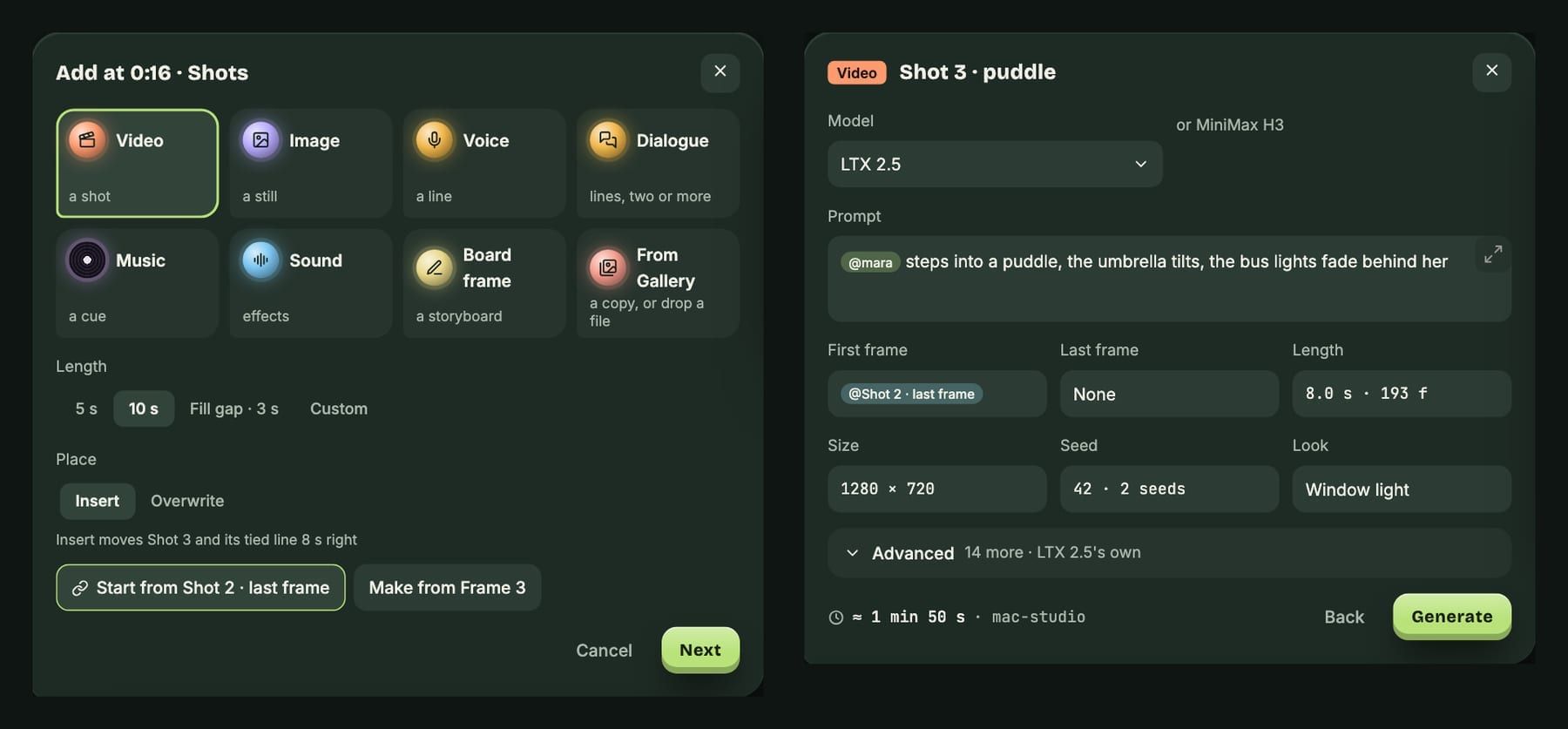
Add at a point on a Magic board: kinds Video, Image, Voice, Dialogue, Music, Sound and Board frame, lengths 5 s, 10 s or Custom, and From Gallery
Add · the kind, the length, Insert or Overwrite, and where it starts from
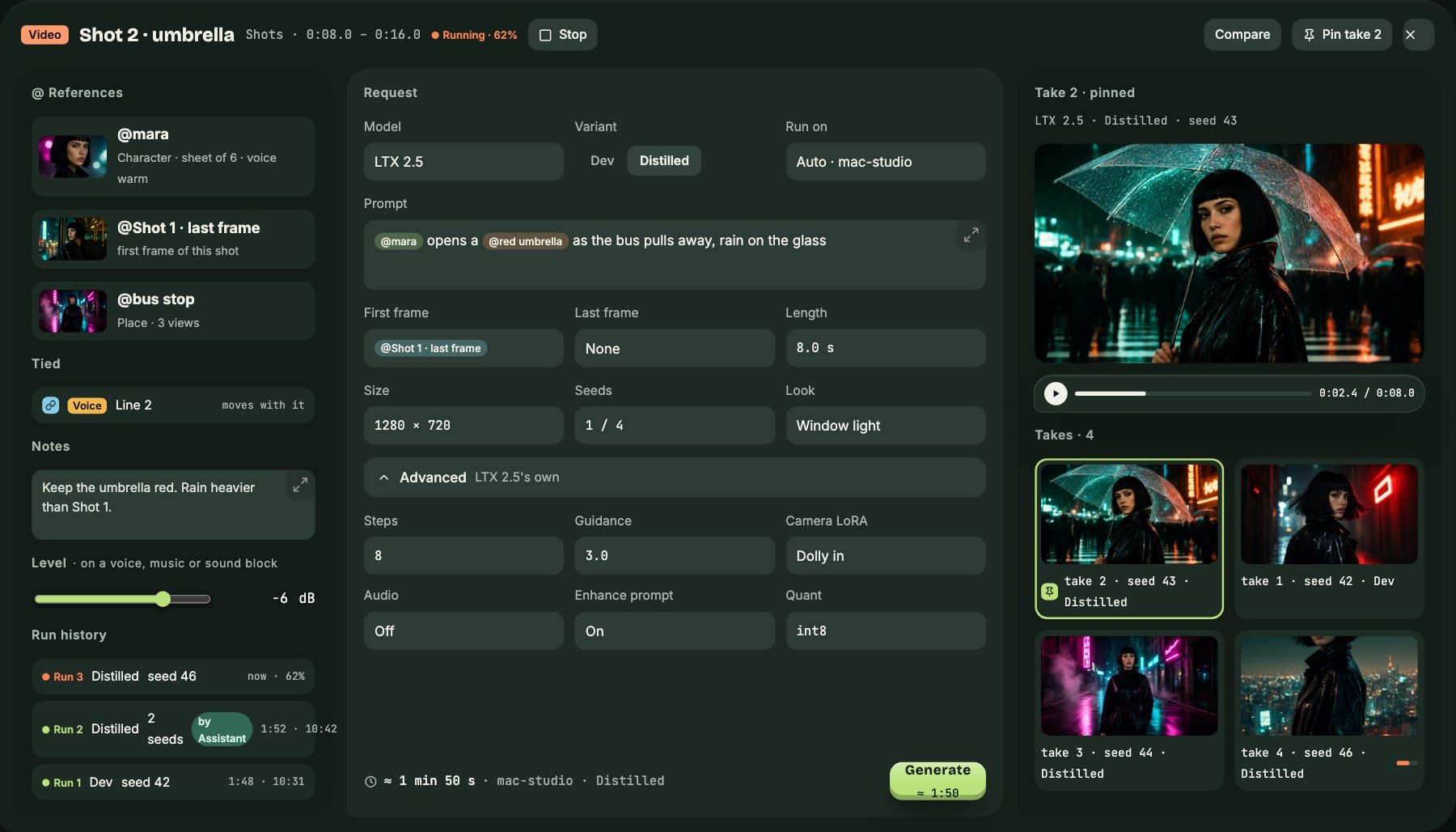
A shot block opened: its @ references, what is tied to it, notes, run history, the request with Advanced, and the takes with one pinned
A block opened · references, notes, run history, the request and its takes

Assets

Your cast, drawn once.

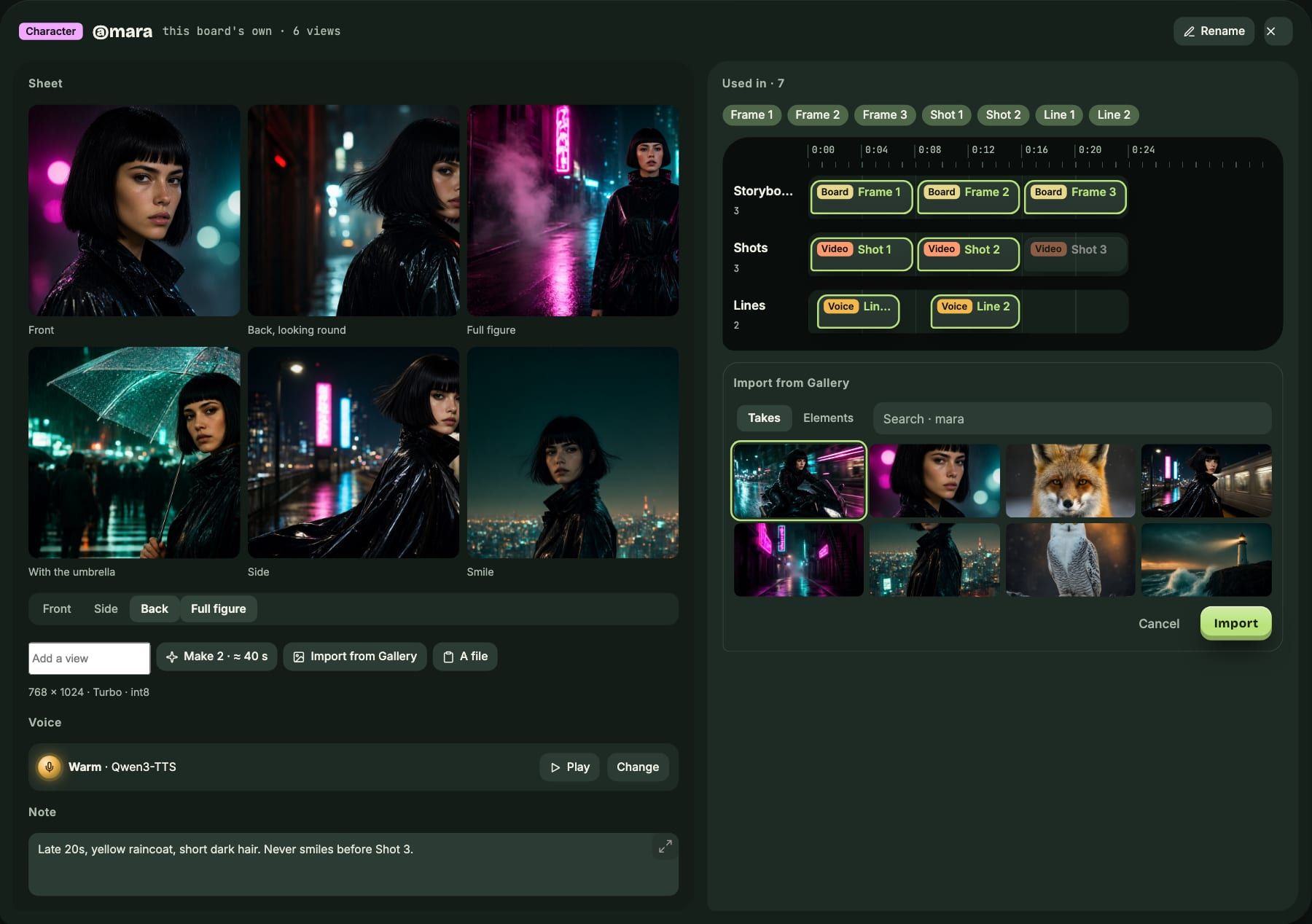
Characters, props and places are the board's own. Make views picks the missing ones, front, side and back, and draws them on Qwen Image Turbo at about 1K: 3:4 for a character, square for a prop.

  • Add your own views, such as "smiling"
  • Change the size, variant and precision in one line
  • Click a view to see it full screen
Make views →
An asset opened: its sheet of views, the views to make with Add a view, and the size, variant and precision line under Make

Storyboard

Sketch it first, then make the shot.

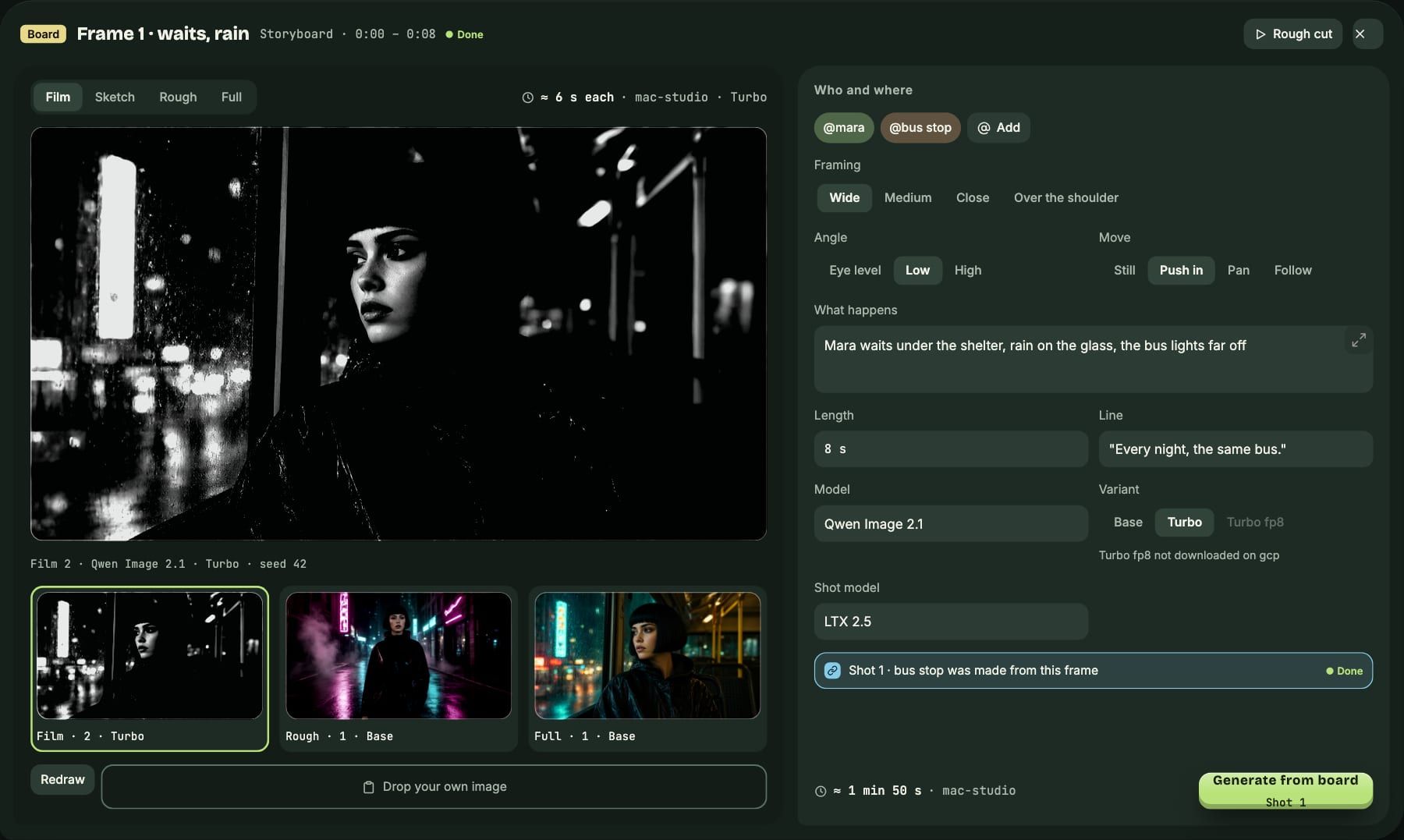
A frame is a quick picture in the film's own style, or a sketch. Set who is in it, the framing, the angle and the move. Generate from board makes the shot under it from that frame.

  • Characters, props and places as the board's own assets, called with @
  • Rough cut plays the frames in order with their lines
  • Change a frame and its shot shows out of date
Storyboard frames →
A storyboard frame opened: Sketch, Rough and Full takes, who and where, framing, angle and move, the line, and Generate from board

Voice, music and sound

Sound that moves with its shot.

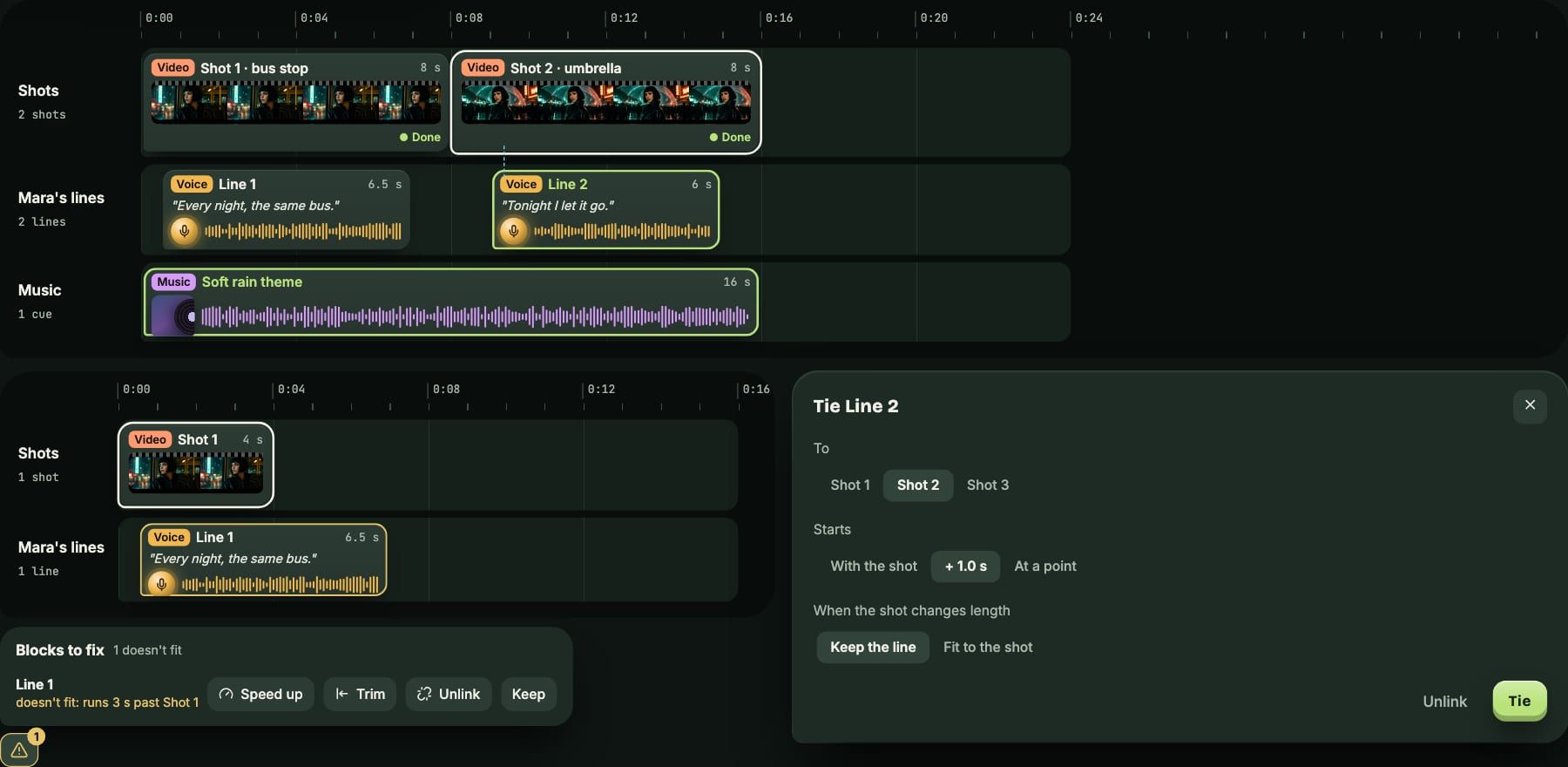
A line or a music cue added under a shot is tied to it. Move the shot and they come too. A sound can be made from the shot's own video. Every sound block has its own level and fades, cues crossfade into each other, and music dips under voice by itself.

  • Dialogue: each line on its speaker's voice
  • Songs from a style and lyrics, with sections on the block
  • Sound effects from words, or matched to a shot
  • Fade handles, crossfades and Duck music, in Play and Export
Voice, music and sound →
Voice and music tied to shots: selecting a shot lights up its tied line and the music cue that spans the shots

Export and send

An MP4 in one press, or a new sequence.

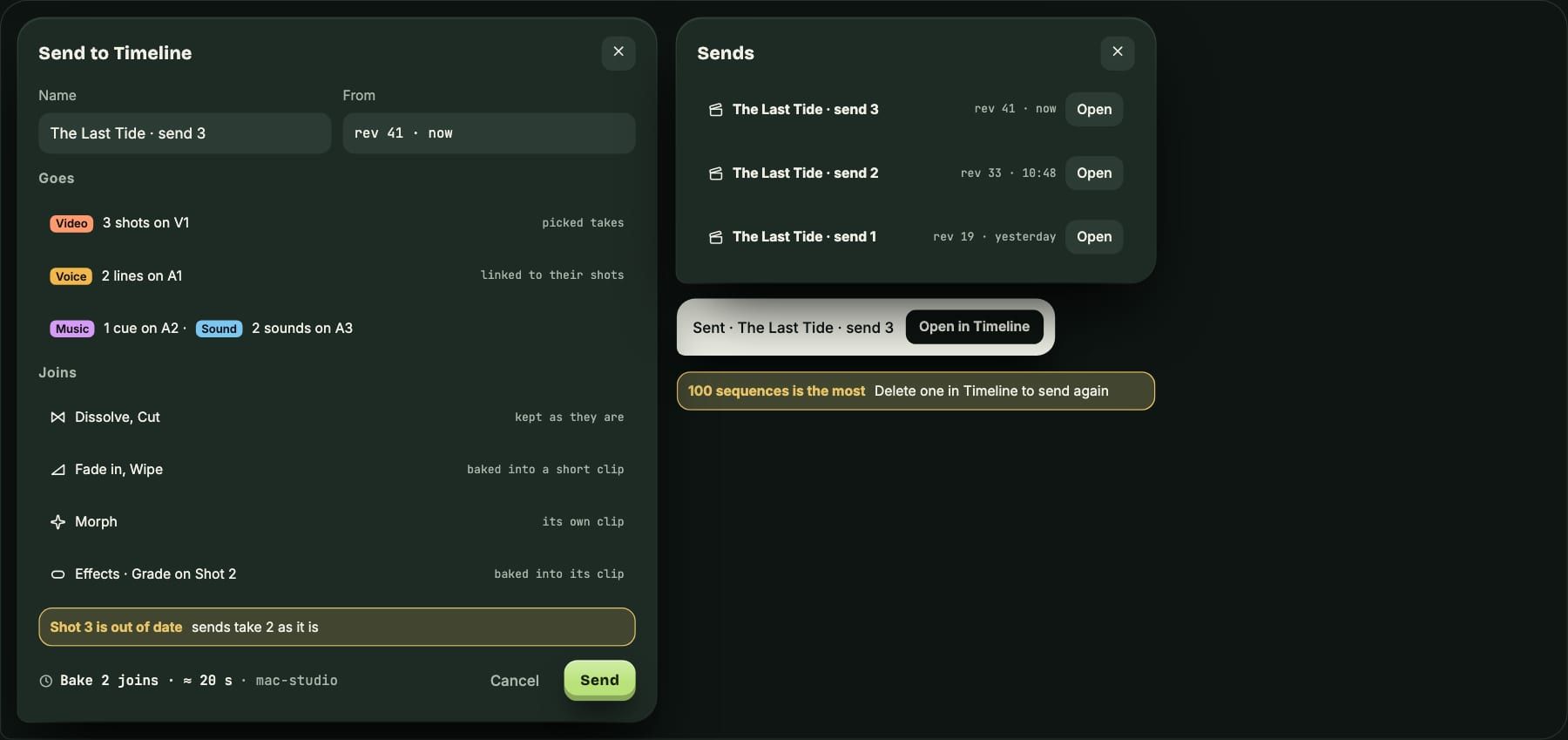
Export sends the board, bakes its joins and exports the MP4. Send to Timeline makes a new sequence to keep cutting: shots on the picture track, lines, music and sound on audio tracks, linked to their shots.

  • Storyboard frames and assets stay on the board
  • The sends list opens each one, or restores the board as it was
Export and send →
Send to Timeline: the new sequence's name, what goes on which track, the joins kept or baked, and the sends list

Every kind, the models you have

One request per kind.

Each kind asks for the same few fields whatever the model. Switch the model and only what it can't do greys out.

PictureFrames, stills and shotsQwen Image 2.1, MiniMax H3 Image, LTX-2.5 and MiniMax H3.
VoiceLines and dialogueQwen3-TTS and ZONOS3, on your characters' voices.
Music and soundCues and effectsMiniMax Music 3, ACE-Step 1.5, Stable Audio 3 and MMAudio.
Cut, dissolve, fade, wipe and morphGrade, slow and stabilizeCompare and pin takesSnapshots and historyPlay the board, or its rough cutDrag the playhead from any laneStop runs at any timeOne list of what needs youBoards name themselves

Lay out your first film.