Alphahelmstudio is early software: things will change, and some will break.What's newReport an issue

The Assistant

Tell it the shot.
Watch it set up.

A co-director in a drawer on every screen. It sees what you see, works the same controls you do, and stops to ask before anything that uses the GPU, downloads weights or deletes work.

A real session · one sentence became a film plan, a character sheet, a saved look and the first keyframe

How it works

You say it. It does it on screen.

Each step shows as a line the moment it starts, and ticks when it is done, with Undo where the screen can undo it. Anything costly waits for your click.

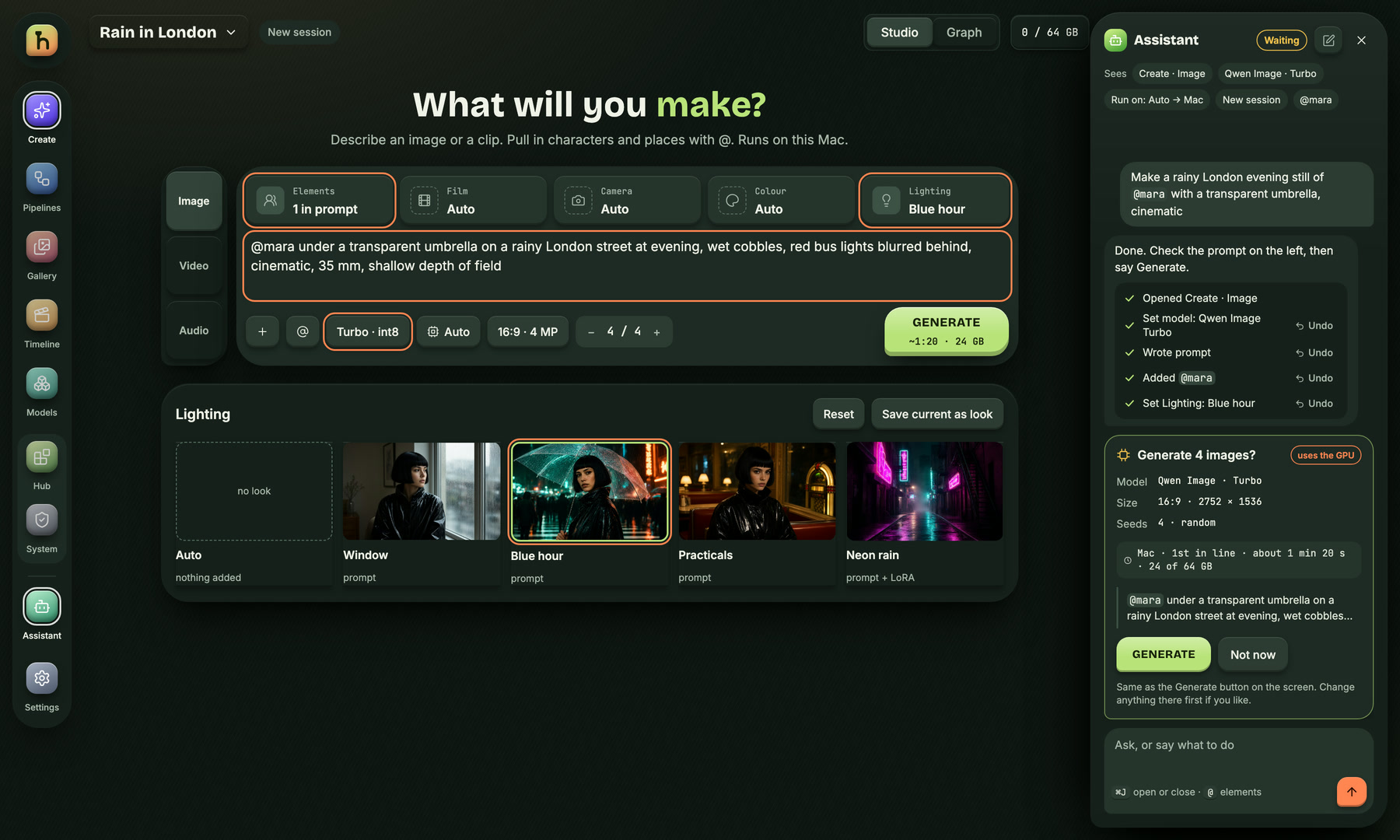
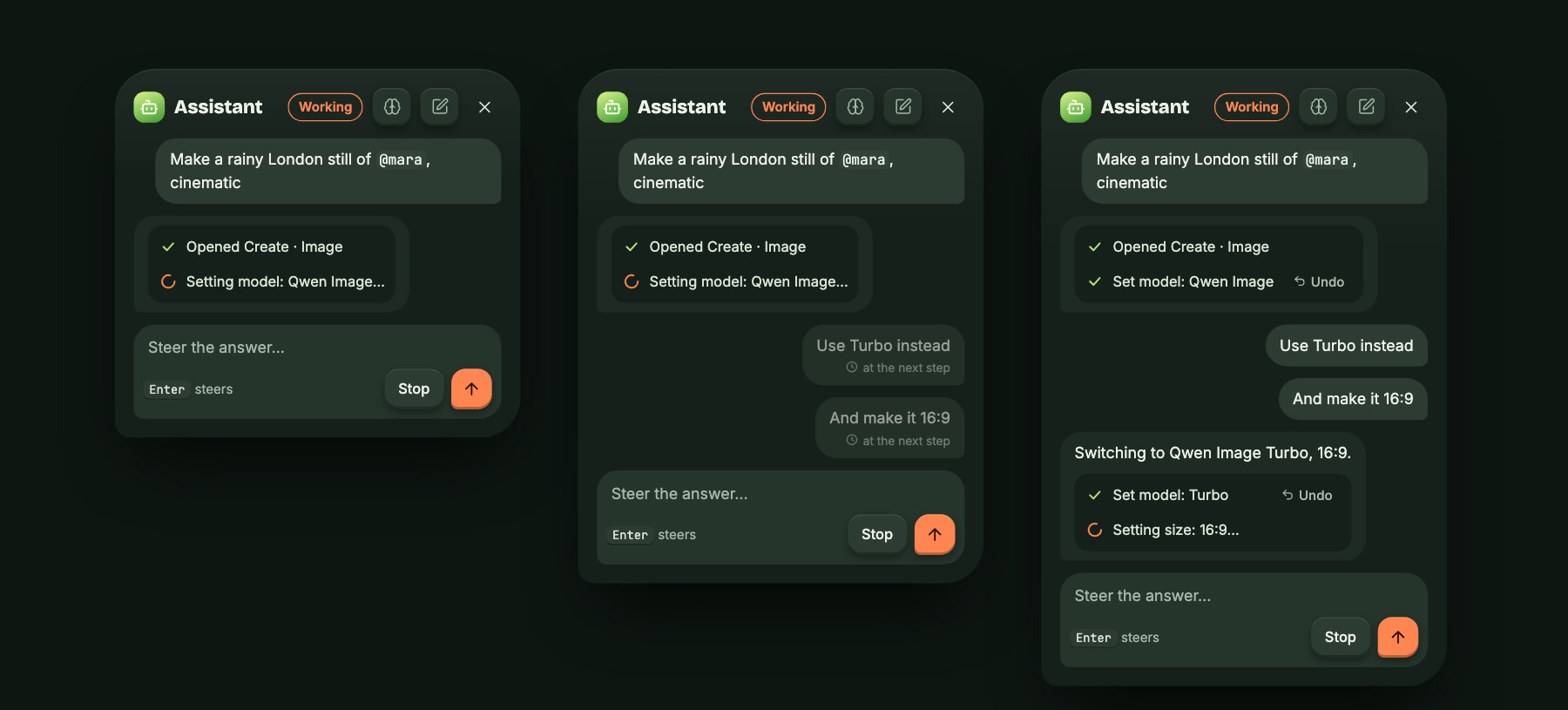
  1. Ask"Make a rainy London evening still of @mara, cinematic." Hand it takes with @ or drop an image.
  2. It does the workOpens the right screen, picks the model, writes the prompt, sets the look. Each change can be undone.
  3. It asks firstA card shows the model, size, seeds, the host and the time. Its button is your click.
  4. Steer it liveType while it works. Your words are read at its next step, and it changes course.
Create with the Assistant drawer: the elements, prompt, model and lighting it changed are ringed, and a card asks before generating 4 images
Create · ringed controls are the ones it just changed
Steering: the box stays open while it works; messages wait for the next step; then it switches to Qwen Image Turbo at 16:9
Steer while it answers · Enter adds your words, Stop ends it
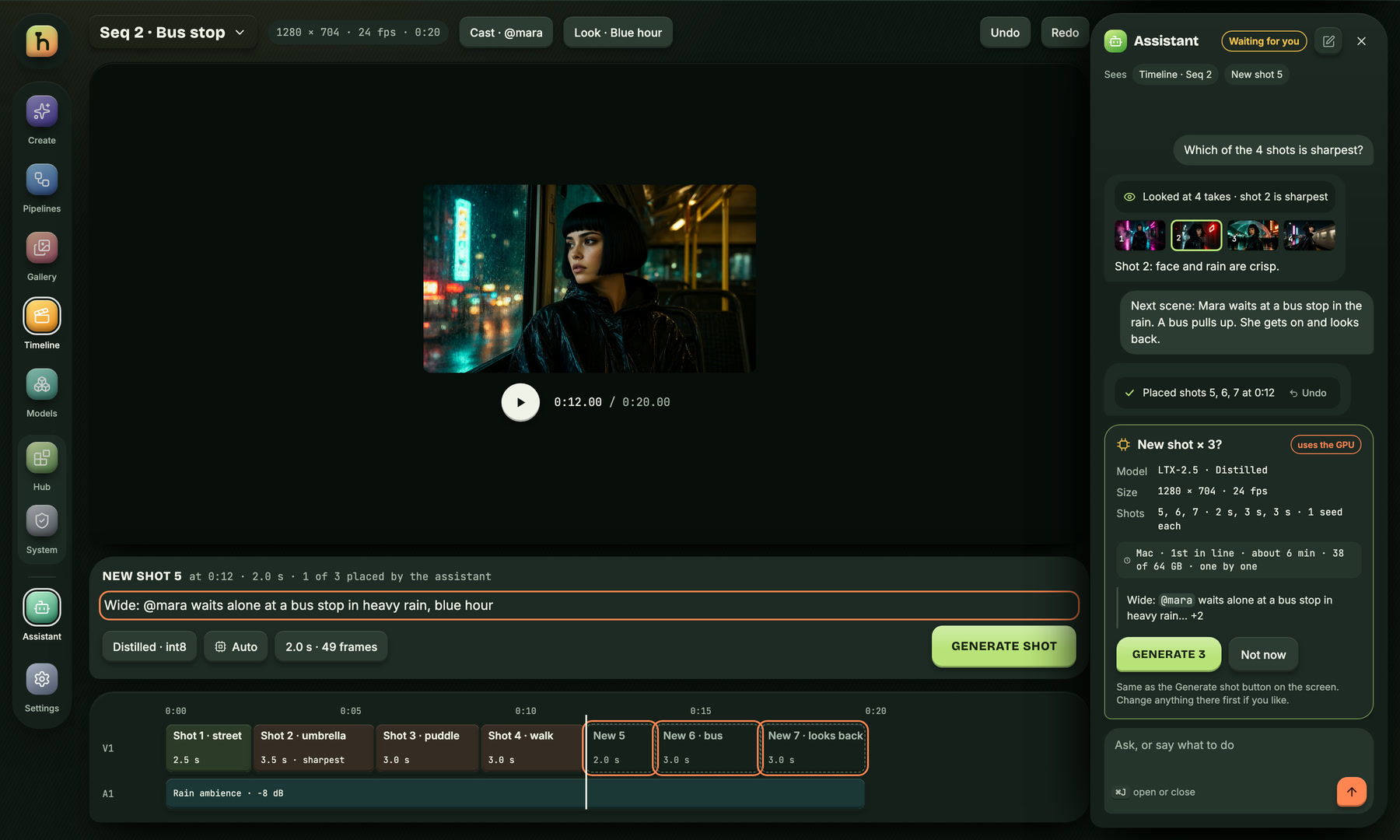
Timeline with the Assistant: it looked at four takes, named the sharpest, then placed three new shots from a written scene
Timeline · from a written scene to new shots, each placed with Undo

On a Magic board

From a brief to a board, plan first.

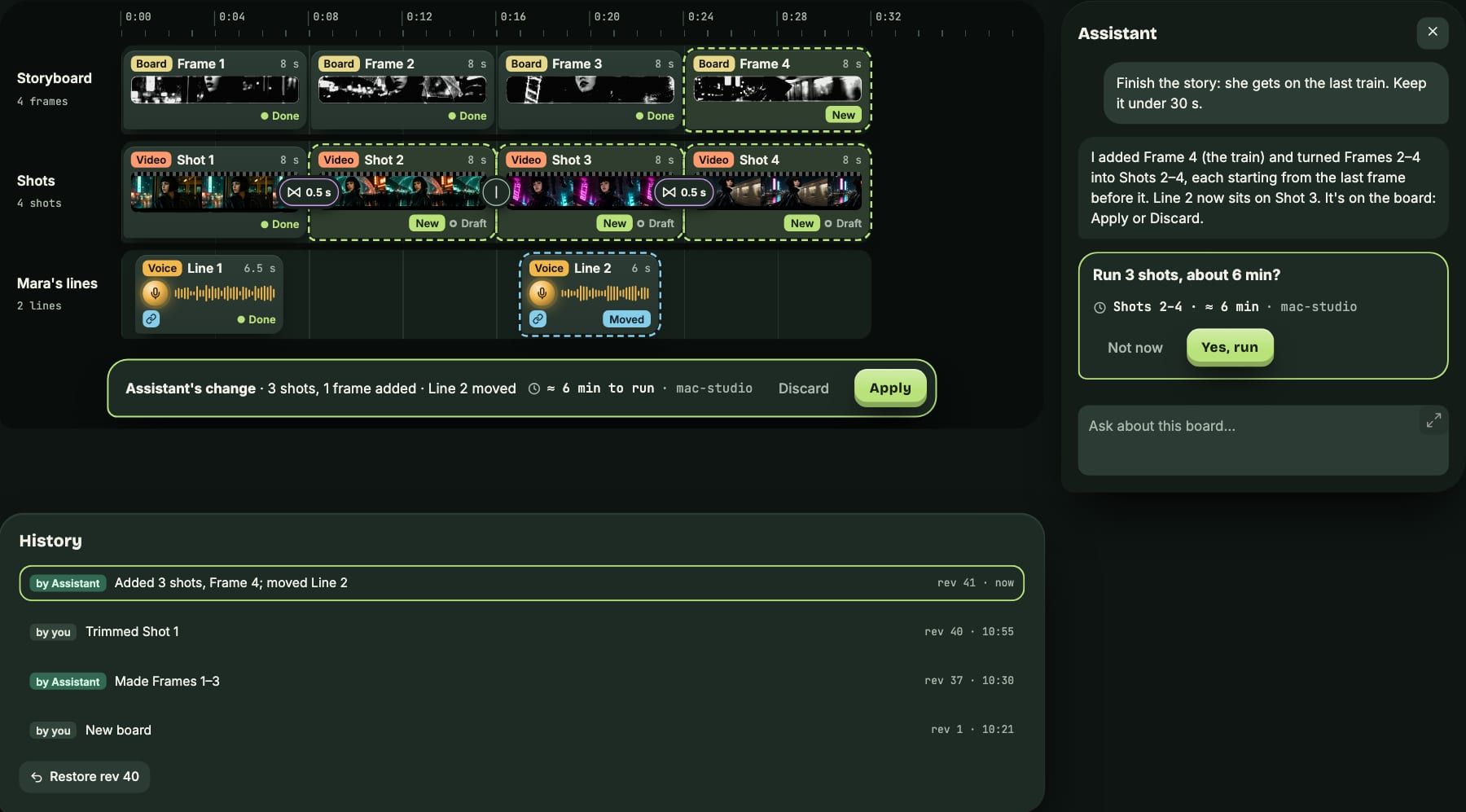
On Magic it works as a director. It writes a plan of the style, the cast, the places and the beats, and waits for your OK. Then views, voices, frames, shots and sound, each change drawn on the board for you to apply.

  • New blocks dashed green, moved or changed ones dashed blue
  • History marks its edits "by Assistant", and Undo takes them back
  • Runs above your GPU-minute limit ask with the estimate; Stop can stop its runs too
The Assistant on Magic →
The Assistant on a Magic board: its change is drawn with Apply and Discard, History lists edits by you and by Assistant, and a card asks to run 3 shots, about 6 min

It sees and hears your takes

Answers you can click.

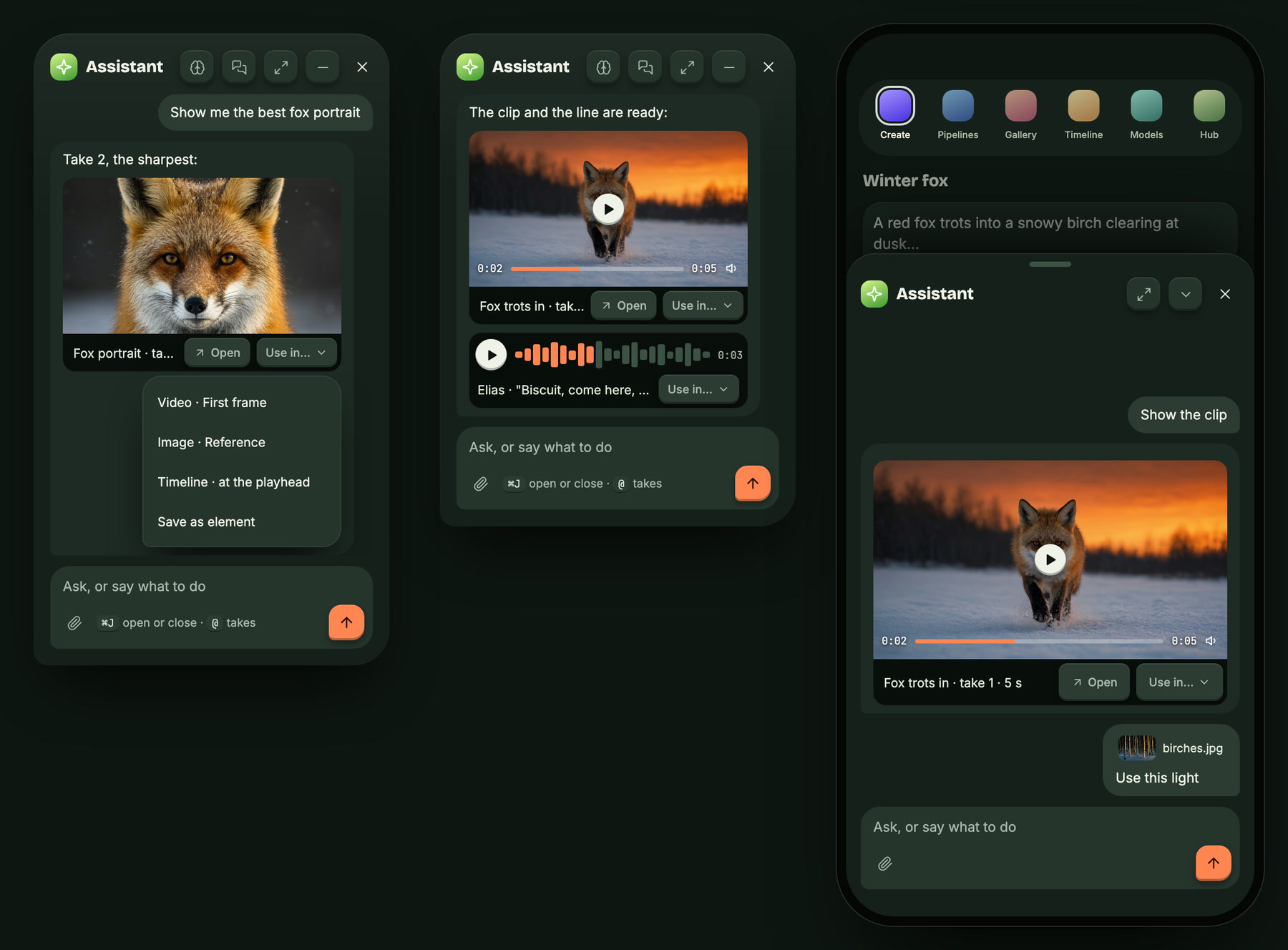
Takes, elements and voices show as chips and players, never as ids. When its model sees images, it looks at your takes itself, and at what it just made. A video comes as 12 frames with their times, every sound with its exact length and loudness, and a local model listens when it needs to hear.

  • Open and Use in… under every take it shows
  • Choices as cards, the recommended one marked
  • Look at runs on your own machines for a text-only model
Reading its answers →
Media in an answer: an image take with Open and Use in…, a playable video and a voice take with its waveform

Memory

It keeps your film's shot list.

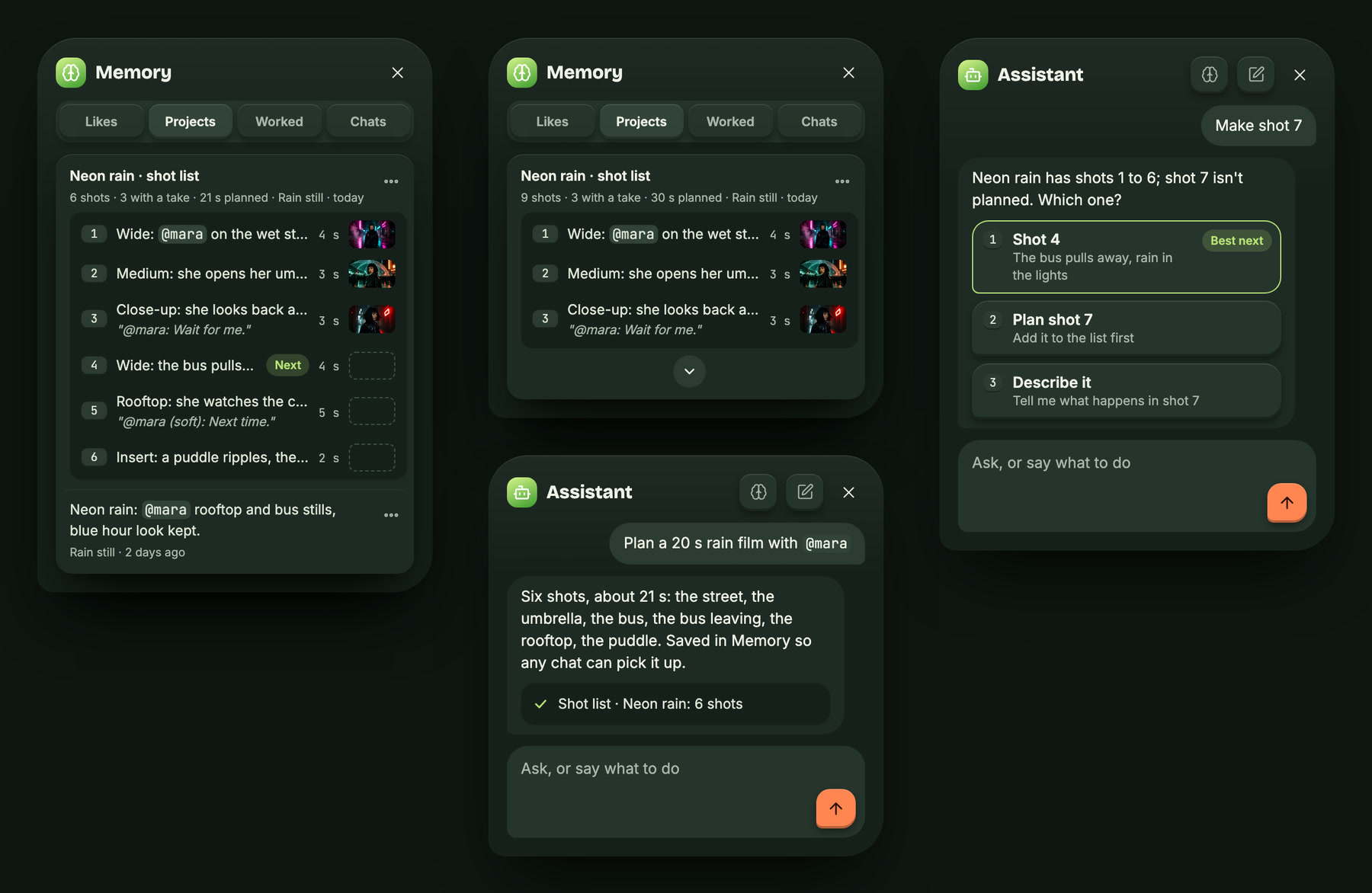
Plan a film once. The shot list, with each shot's line and the take you picked, is in Memory, so "make shot 3" works in a new chat too.

  • Remembers what you like, in plain words you can edit
  • Shots go onto the Timeline in order, with a marker each
Chats and memory →
Memory › Projects with a film's shot list: numbered shots with what happens, length and the spoken line

On your phone

The same co-director, in your pocket.

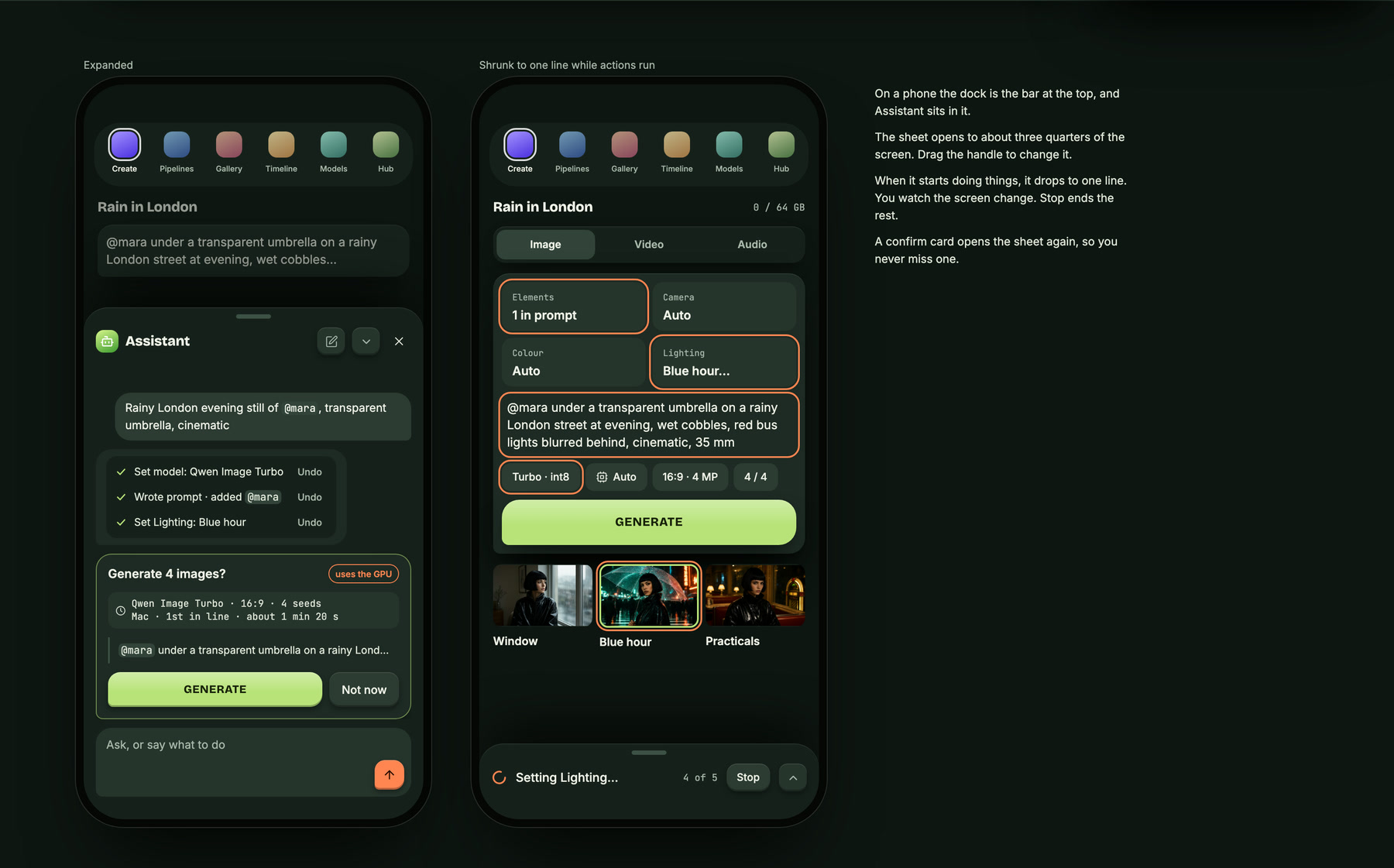
At phone width the Assistant slides up from the bottom. Ask for a still, press Generate, and find it in the Gallery later.

Open it →
The Assistant at phone width: the rail as a bar, the Assistant sheet over Create, asking before generating

Where it runs

Your model, your rules.

The Assistant runs on a text model your admin picks: a local server on your own network or a provider. The admin sets the caps, and which tools and skills it may use.

Asks firstYour click runs itGPU runs, deletes and anything sent off the machine wait at a card.
Auto modeSafe steps on its ownRuns on your machines within hourly caps; deletes still ask.
PrivateText-only stays localWith a text-only model, your images never leave your machines.

Meet your co-director.